





































Automation is one of the reasons Zoho can become so powerful.
A lead can be assigned automatically, a Deal can trigger the next process, a signed document can update CRM, Creator can initiate activity elsewhere, and Zoho Flow can move information between applications.
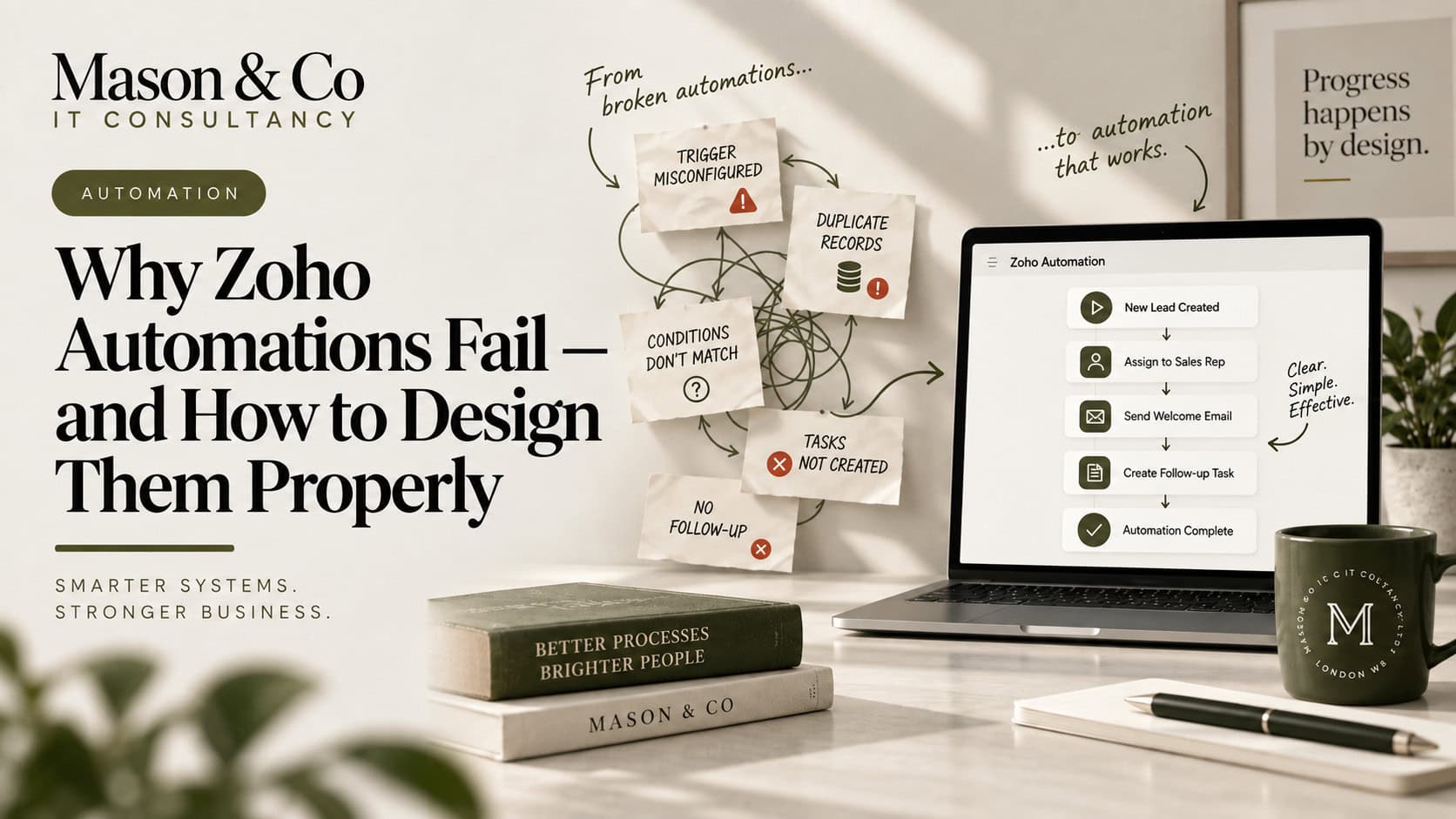
When it works well, much of the process simply happens in the background. The difficulty is that automation can also create complexity that nobody can easily see.
I have seen environments with hundreds of workflows, functions, schedules and integrations where every individual automation appears perfectly reasonable. The problem starts when they interact. One workflow updates a field, which triggers another workflow, which calls a function, updates another application and sends information back again.
Eventually, nobody is completely sure what started the process, what should happen next or where to look when something fails.
The issue is rarely that Zoho cannot automate the process. It is that the automation was designed as a collection of actions rather than as a system.
The easiest way to create bad automation is to start inside the technology. Open CRM workflows, create a rule, choose a trigger and add an action. Technically, you are automating; architecturally, you may simply be encoding a process nobody has properly understood.
I would start outside Zoho and map the process first. What starts it? What information is required? Which decisions are made? Which systems are involved? What outcome is expected, and what happens when the normal path cannot be followed?
Only then would I decide which parts should be automated.
Automation does not fix a badly designed process. It usually makes that process happen faster and more consistently. If the process contains unnecessary approvals, duplicate data entry, unclear ownership or contradictory rules, automation can simply embed those problems more deeply.
Reliable automation starts with a meaningful business event: a Deal reaches Closed Won, a candidate completes compliance, an invoice becomes overdue or a customer submits a form.
“Record edited” may be technically valid, but it does not necessarily describe why the automation should run.
As an environment grows, vague triggers become harder to understand because workflows begin reacting to fields changed by other workflows. I prefer triggers that can be explained in business language:
When X happens, the system does Y.
If explaining the trigger requires three fields, two workflows and a custom function, the design may already be too complicated.
One of the first things I would look for in an existing Zoho environment is hidden coupling.
A workflow updates a field. That field triggers another workflow. The second workflow changes another field, which starts something else.
Sometimes that is valid, but months later someone can change the first workflow without realising several downstream processes depend on it. The change itself looks safe; the failure appears somewhere else.
For important processes, the sequence should be explicit and understandable. A field should normally represent business information, not exist mainly as an invisible signal between automations.
Automation depends on data being predictable.
If a workflow expects customer type, region, status and owner to be populated correctly, the quality of those fields is part of the automation design. If users can leave them blank or use them inconsistently, the automation will eventually behave inconsistently too.
This often leads to increasingly complicated conditions designed to compensate for poor data.
I would fix the underlying data first through validation rules, controlled values, clearer ownership or better capture processes. Good automation normally sits on top of good data.
The same principle applies to unnecessary work. If someone manually copies information between two systems, automation could certainly do it for them, but the better question may be why both systems independently maintain the same information.
Automating an unnecessary step makes it cheaper and faster. Removing it makes it disappear.
Zoho gives you several ways to automate. CRM workflows can handle straightforward actions, Blueprint can control how records progress through a process, Zoho Flow can orchestrate activity across applications, Creator workflows can manage application logic, and custom functions or APIs can handle more sophisticated requirements.
Custom code can extend supported operations, but it introduces software that somebody must understand, test, monitor and maintain. I would start with the simplest capability that meets the requirement reliably and add custom logic only where needed.
The same applies to Zoho Flow. Once dozens of Flows are moving information between systems, Flow is no longer just an automation tool; it has become part of the integration architecture and should be managed accordingly.
Automation that works in a demo is not necessarily ready for production.
In testing, the data is correct, credentials work and systems respond. In production, APIs time out, connections expire, required fields are missing, users enter unexpected values and downstream applications become unavailable.
The important question is not whether an automation will ever fail. It is what happens when it does.
For important automation, I would want to know how failure is detected, where it is logged, who is notified, whether the process can retry and how somebody can safely recover it.
Silent failures are particularly dangerous. A manual task is usually visible when it has not happened. Automation can fail in the background while everybody assumes it succeeded.
Automation should reduce human intervention without removing operational visibility.
A common mistake is testing the individual automation rather than the business outcome.
The CRM workflow fires. The function executes. The Flow succeeds. Test passed.
But the business does not care whether the individual component worked. It cares whether the process completed correctly.
If Closed Won should create a customer, send the right information to Operations and begin onboarding, test that entire sequence.
Then test the exceptions: missing information, duplicate records, unexpected values, integration failures and the same event occurring twice.
The happy path tells you whether the automation can work. The exception paths tell you whether it is ready for production.
This becomes even more important as AI and agents enter business workflows.
Traditional automation is usually deterministic: if X happens and certain conditions are met, do Y. AI introduces probabilistic behaviour. It may classify information, summarise it, recommend an action or decide which route a process should take.
That can be powerful, but it changes the design question.
If the AI is wrong, what happens next? If an agent can update CRM, send communications or trigger workflows, what controls, approvals and audit trail surround those actions?
The more authority AI receives, the more important the surrounding automation architecture becomes. AI should not become a shortcut around controls that already exist.
A practical automation design test
Before putting an important automation into production, I would ask seven questions:
- What business event starts it?
- What business outcome are we trying to achieve?
- Is the required data reliable and clearly owned?
- Is this the simplest appropriate automation pattern?
- What other processes depend on it?
- What happens if it fails or runs twice?
- Who owns it afterwards?
Those questions force the design to be considered as part of a wider system rather than as an isolated workflow.
A mature Zoho environment can contain hundreds of automations and still require significant manual administration. Another can contain far fewer and operate much more efficiently.
The number of workflows is irrelevant.
What matters is whether the underlying process has been designed properly, information moves cleanly between systems and automation removes work without creating hidden dependencies elsewhere.
The strongest automation is usually the automation people barely notice. The right information appears in the right place, the next process starts when it should, exceptions are surfaced and people intervene only where judgement is genuinely required.
Good automation should make the business process simpler. If the automation itself becomes one of the most complicated parts of the process, something has gone wrong.
If your automations are difficult to maintain, explore our integration and automation or request a free consultation to discuss a practical next step. 30 minutes. No charge. No obligation.