











































Zoho Mail Business Email Built Around Your Team
Give your team professional email on your own domain. We configure Zoho Mail around users and shared mailboxes, with clear ownership, access and practical administration.
We plan migrations and connections around your working needs, agree the changes, checks and responsibilities involved, and help staff keep communicating through the transition.
✓ Implementation & improvement ✓ UK-based senior consultants ✓ Free 30-minute consultation ✓ Clear scope & pricing before work begins
Why Business Email Becomes Hard to Manage
Business email settings evolve as people and services change. Mailbox access, shared addresses and domain records can become difficult to explain without clear ownership.
We scope Mail around users, domains and migration. Agreed routing, access and continuity checks cover joiners, leavers and role changes, keeping messages and permissions with the right team.
Unclear Ownership
Mailbox and shared-address responsibilities are difficult to follow, leaving important messages without a clear owner.
Complex Migration
Existing mail, folders and account settings need checks before changing providers or switching the routing of live email.
Domain Configuration
Email routing and sender authentication lack clear ownership and regular checks, making delivery problems hard to investigate.
Access Gaps
Joiner and leaver changes happen inconsistently, leaving staff without access or former users with permissions.
Three Ways We Work With Zoho Mail
Create a new email setup, migrate from another provider or improve existing administration. We agree mailbox needs and the transition scope before making changes.

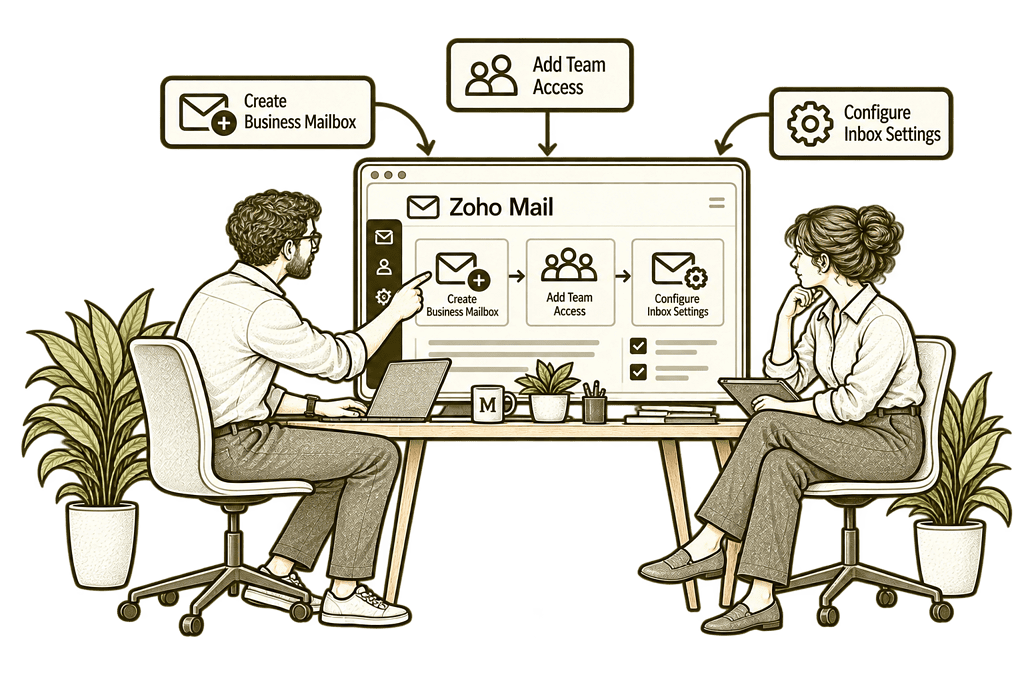
New Zoho Mail Setup

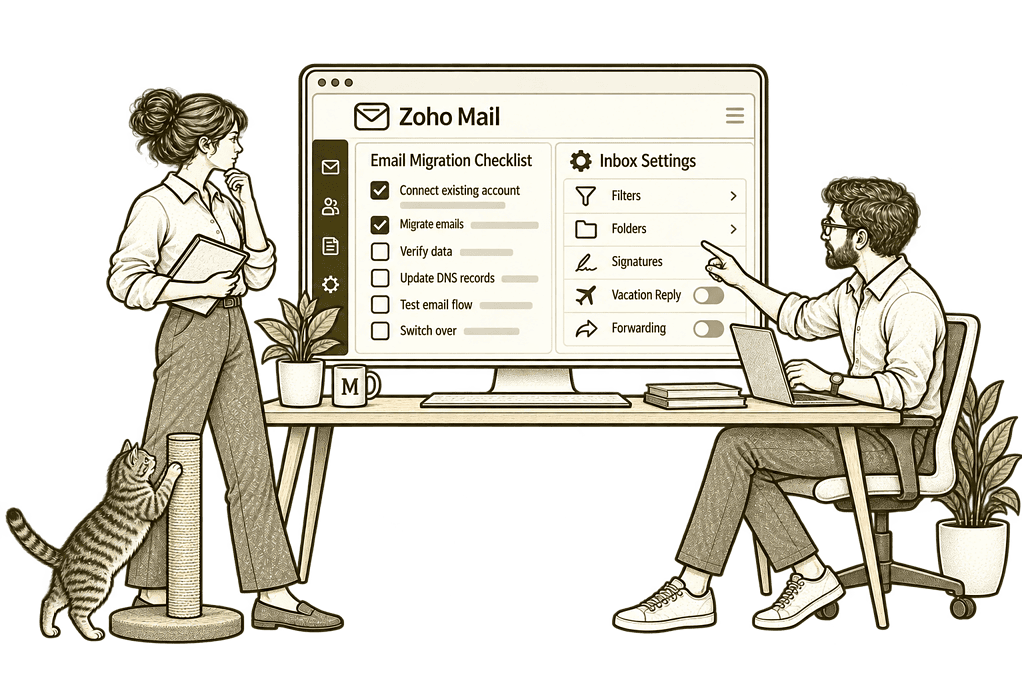
Migration & Optimisation

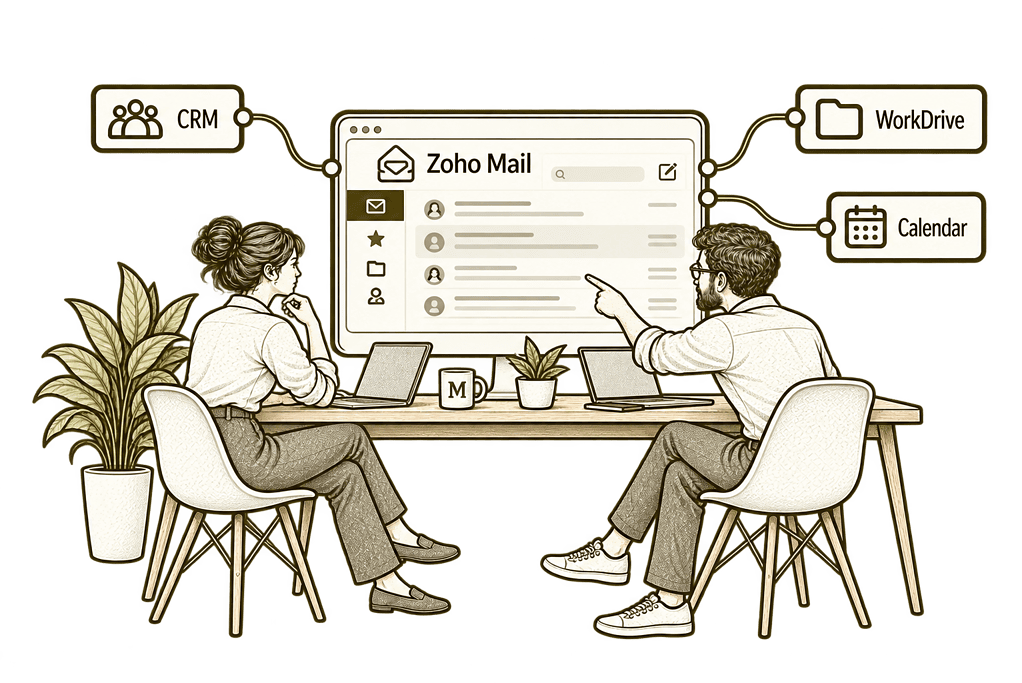
Email With Your Systems
Email Administration Built Around Your Business
We translate your communication needs into a practical email setup. Domains, mailboxes and access policies are designed together, with storage, client access and administration features checked against your plan.
Mailbox & Address Design
Agree users, aliases and group-address needs so each business address has an appropriate purpose and owner.
Domain Authentication
Scope routing and sender-authentication records, checking existing senders before changing DNS settings.
Migration Planning
Assess source data and supported methods, with pilot checks and a clear cut-over and recovery plan.
System Connections
Define email-client and application connections with supported methods and appropriate access controls.
Access & Administration
Configure agreed roles and policies, with clear responsibilities for joiners, leavers and account changes.
Training & Handover
Help staff use the chosen mail experience and give administrators a clear operating handover.
One Clear Process for Business Communication
Staff receive the right mailbox access, business addresses route messages appropriately and administrators maintain the domain and user settings. Calendar and contact requirements are assessed alongside everyday mail.
We configure the setup around those responsibilities so your team knows how to communicate, manage access and resolve email queries.

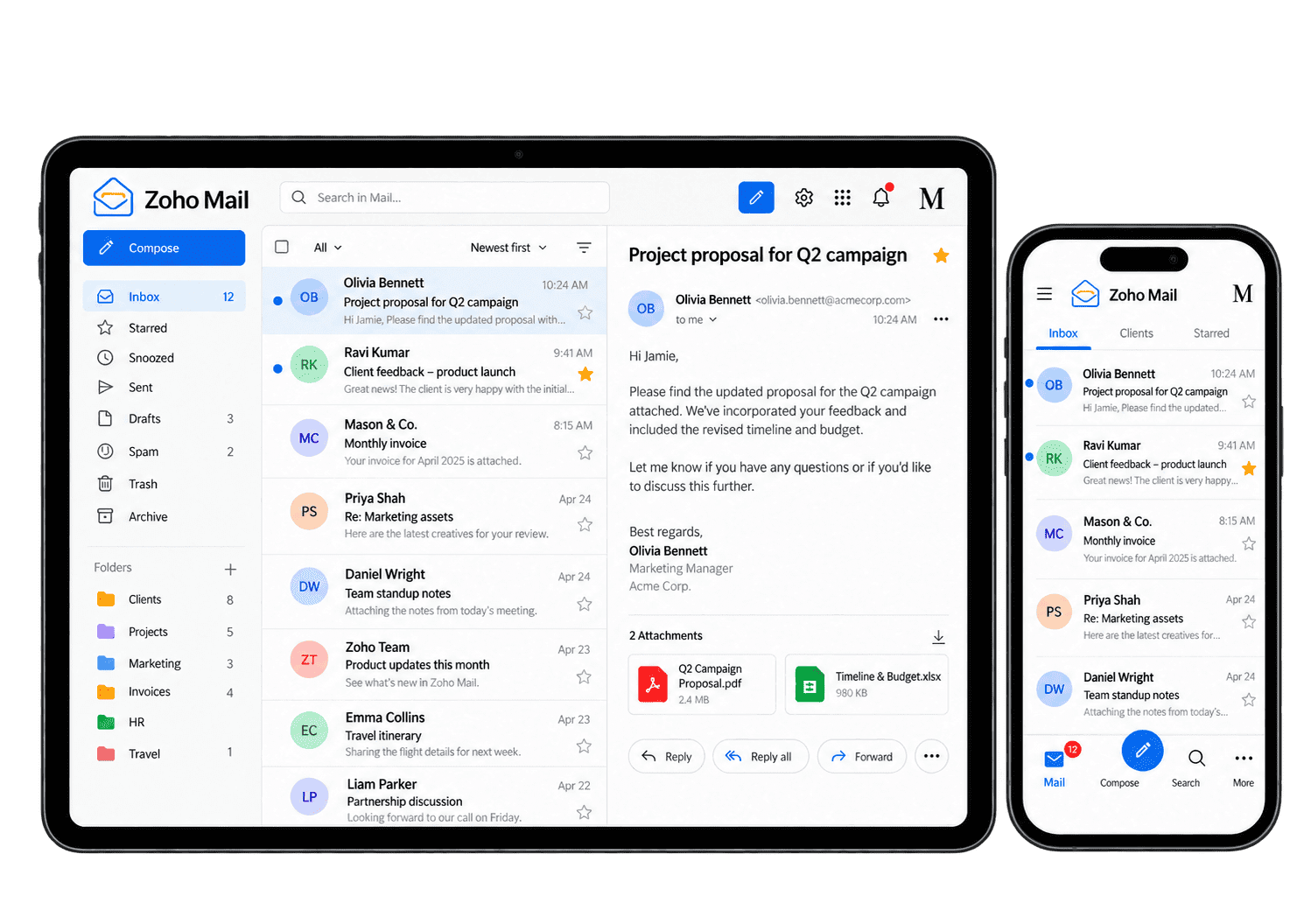
Make Everyday Email Easier to Manage
Zoho Mail supports domain email and central administration. We configure the relevant features and test sending, receiving and user access before relying on the setup for live business communication.
-
Domain Setup
-
Users & Mailboxes
-
Business Addresses
-
Email Migration
-
Sender Authentication
-
Mail Client Access
-
Account Lifecycle
-
Administration Review
Configure business-domain email through a planned transition, checking domain control, routing and test results so the administrator can manage delivery and resolve setup issues.
- Verify domain ownership and access.
- Review existing mail and sending services.
- Plan the required routing records.
For example, a business moves its domain email to Zoho Mail. We confirm control of the domain and agree the routing change with the responsible administrator before configuring records. We test sending and receiving before the routing change and check the agreed rollback route.
Give employees the mailboxes and approved business-address access their roles need, checking identity, licensing and permissions so correspondence has clear ownership.
- Agree mailbox and storage requirements.
- Configure relevant user roles.
- Test sign-in and mailbox access.
For example, a new consultant needs an individual mailbox and access to an approved team address. We define account ownership, licensing and relevant permissions before provisioning. We test sending, receiving and the approved address access with the employee.
Organise business contact addresses around the teams responsible for responding so incoming enquiries reach a maintained and accountable communication process.
- Assess alias and group requirements.
- Agree membership and message ownership.
- Test routing and reply behaviour.
For example, customers contact a general enquiries address that several staff handle. We assess the appropriate supported address or group arrangement and agree who monitors it and replies. We assess supported shared-address options and agree who responds to each enquiry.
Move required message history through supported migration options, checking sample folders and missing items so staff can continue their work after the agreed switch-over.
- Check supported source and migration methods.
- Run pilot and completeness checks.
- Agree cut-over and recovery responsibilities.
For example, staff need historical messages available after changing providers. We review the supported migration scope and test representative mailboxes before the full transfer. We check supported migration options, reconcile sample folders and agree the switch-over.
Align authorised sending services with the domain’s authentication setup, with clear administrative ownership so records can be reviewed as the business’s email tools change.
- Review all legitimate sending services.
- Scope SPF, DKIM and DMARC configuration.
- Test authentication and monitor outcomes.
For example, business messages are being sent from the main domain and an approved marketing platform. We review the required sender authentication records against those sources and test the resulting configuration. We check the relevant DNS records and test the permitted sending routes.
Support the desktop and mobile mail apps staff need, checking plan capabilities and authentication so sending and receiving follow the agreed account controls.
- Check supported client and protocol options.
- Configure agreed web, mobile or desktop access.
- Test mail, calendar and contact behaviour.
For example, employees use desktop and mobile mail applications. We assess the supported access methods and test the required clients with the organisation’s account controls. We test sending, receiving and required folders on the intended devices.
Manage mailbox changes when staff move roles or leave, reviewing access, retained messages and ongoing customer correspondence before changing accounts.
- Agree joiner and leaver responsibilities.
- Define mailbox access and retention decisions.
- Test role changes and removal of access.
For example, an employee changes role or leaves the business. We agree how mailbox access, retained messages and any ongoing customer correspondence should be handled, then apply the supported account controls. The administrator checks the agreed handover and applies access changes.
Maintain mail settings with clear administrative ownership, so new services, staff changes and access needs follow a documented and tested review process.
- Agree administrator roles and review routines.
- Assess available logs and reporting.
- Document issue handling and escalation.
For example, a new sending service or staff change affects the existing mail setup. We document the administrator responsible for reviewing domains, account access and relevant settings, then test the agreed changes. The administrator checks the affected accounts, authentication and approved sending routes.
Visibility Into Your Email Setup
We agree useful administration checks and the information behind them. Available logs and reports depend on your plan; reviews focus on configuration, access and exceptions rather than treating email volume as staff productivity.
Mailbox Inventory
Review active mailboxes and owners so account administration follows the current team structure.
Storage Position
Assess available storage information to identify mailboxes needing retention or capacity review.
Migration Checks
Check transfer results and exceptions against source records before completing the email migration.
Domain Status
Check verified domains and routing configuration against the agreed email architecture.
Authentication Results
Review sender checks and investigate failed authentication or messages from unauthorised sources.
User Access
Review relevant account and client access with the roles and policies your organisation has agreed.
Group Membership
Check team-address membership and ownership so business messages reach the appropriate people.
Admin Exceptions
Review supported alerts or logs and assign a clear response to issues requiring attention.
Connect Email With the Wider Business
Email often supports customer conversations and wider application workflows. We scope relevant connections with Zoho CRM and the Zoho One ecosystem around your communication needs.
Marketing sending through Zoho Campaigns has separate sender and consent requirements. We assess each application and mail client for supported connectivity, access and authentication rather than assuming a mailbox connection covers every use case.

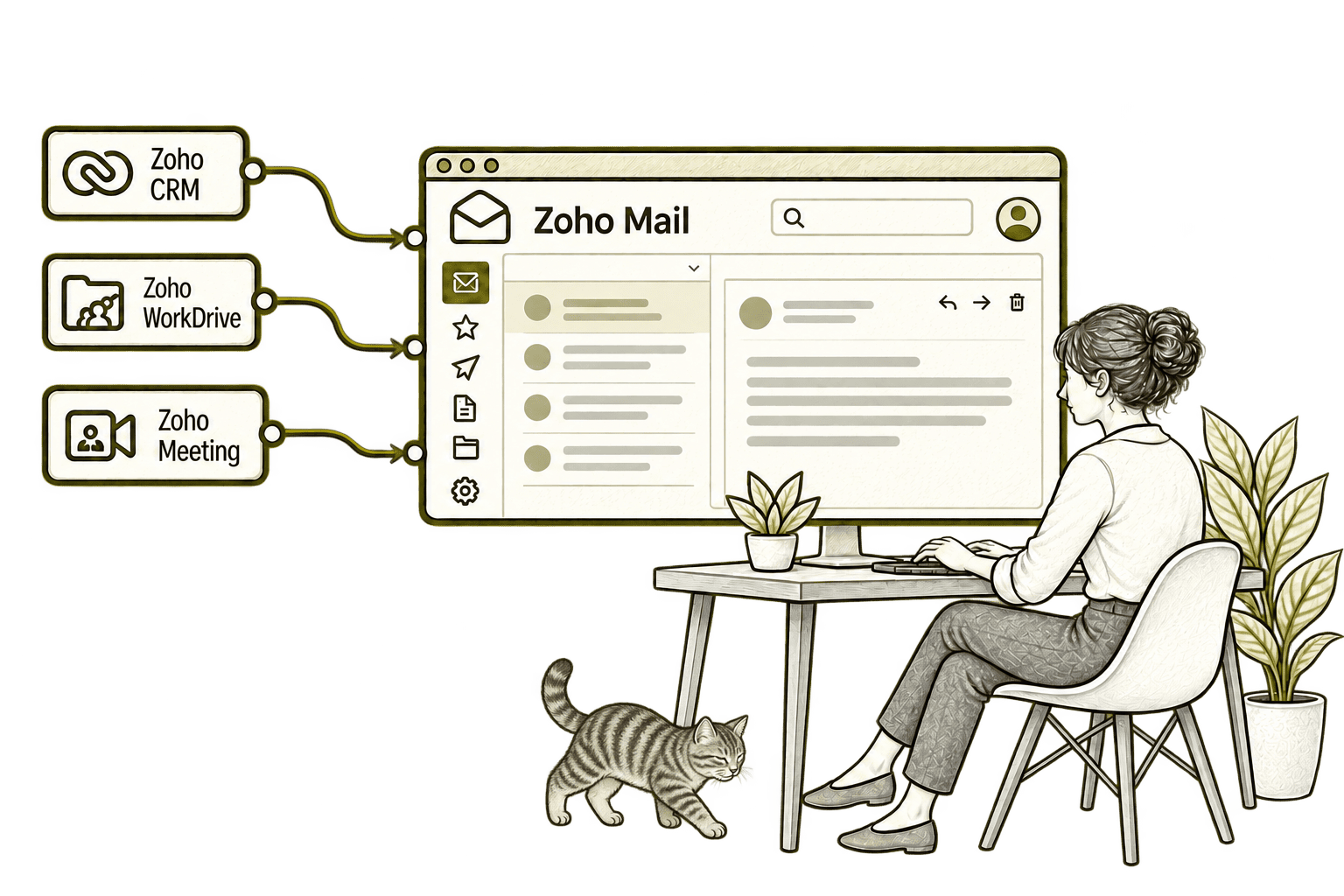
Sales staff lose context when customer emails sit elsewhere. Connecting Mail with CRM brings correspondence alongside customer information, helping the next conversation continue from the last one.
Repeated attachments create competing copies of a document. Connecting Mail with WorkDrive lets staff share relevant files and links, helping recipients reach the intended version.
An email discussion can take too long to resolve. Connecting Mail with Meeting lets staff move into an online conversation from their email workflow, helping the group agree the next step.
Wherever Your Email Setup Starts, Plan the Transition
Whether you need new domain email or a move from another provider, we begin with your mailboxes, business addresses and the way staff use them.
Starting Fresh
We map domain access, mailbox needs and business addresses before configuring Zoho Mail. The first release includes sending, receiving and user-access checks.
Already Using Zoho Mail
We review users, addresses, domain records and administration policies. Improvements focus on access gaps, routing problems and the work needed to maintain the setup.
A Clearer Starting Point
If the issue spans email, identity and application connections, we help establish the right starting point.
Our Business Systems & Operations Audit can clarify the main gaps and recommended priorities.
What a Zoho Mail Engagement Includes
Discovery & Scope
Agree domains, mailbox requirements and existing providers before defining the setup or migration scope.
Design & Access
Map business addresses, ownership and account policies with clear administrator responsibilities.
Configuration & Migration
Configure agreed settings and move supported records using pilot checks and a planned transition.
Testing & Cut-Over
Test sending, receiving, authentication and client access before completing the agreed routing change.
Training & Handover
Guide staff and administrators through their tasks and document the working configuration.
Review & Improvement
Review the live setup and prioritise improvements based on actual mail and administration issues.
Scope depends on source-provider capabilities, data volumes, domain access and your plan. We agree deliverables and cut-over checks before work begins; migration completeness and client behaviour are validated rather than assumed.
Different Businesses. Different Email Requirements.
Mailbox ownership, access and retention should reflect how your organisation communicates. We adapt the setup to your operating model.
Organise staff and team addresses with access and retention rules suited to confidential communication.
Support operational team addresses with clear ownership and access for the people coordinating work.
Configure business mail with agreed access controls and the retention requirements your specialists approve.
Recruitment & Workforce Agencies
Organise recruiter and team email with appropriate access to candidate and client communications.
Support professional communication with the access, retention and governance requirements your organisation needs.
Property & Housing Associations
Organise office and role-based addresses so customer communications reach the appropriate team.
Support staff and volunteer email with agreed mailbox access and clear ownership of shared addresses.
Organise office and project communication addresses with clear ownership and staff account-change processes.
Why Mason & Co
We consider Zoho Mail as part of your wider technology setup. You work with senior consultants who assess domain dependencies, access ownership and transition planning alongside mailbox configuration.
Senior-led consultancy
Work directly with senior consultants who understand your business process and technical delivery.
UK-based, international delivery
Work with our UK-based team across locations, with delivery planned around your working hours.
Architecture + implementation
Connect business design with practical configuration and integrations that support everyday work.
Zoho + AI + automation
Connect Zoho, AI and automation where they solve a clear problem and improve your daily processes.
Not Sure Whether Mason & Co Is the Right Fit?
Tell us what you want to implement, improve or fix. We will discuss whether we can help and recommend a sensible next step based on what you share.
Your Questions Answered
What is Zoho Mail used for?
Zoho Mail provides business email hosting on your own domain, with user and domain administration. We configure the relevant mailbox and access requirements around your team.
Can you migrate from Microsoft 365 or Google Workspace?
We assess supported migration methods and the records you need to move. Source capabilities, data volumes and mail, calendar or contact requirements are checked before agreeing a pilot and cut-over plan.
Can we keep our existing email addresses?
You can generally retain addresses on a domain you control when moving hosting. We verify domain access, mailbox requirements and routing before planning the change.
Can staff use desktop and mobile email apps?
Supported clients, protocols and sync capabilities depend on your plan and configuration. We test the required mail, calendar and contact behaviour rather than assuming it matches your previous provider.
Will authentication guarantee messages reach the inbox?
No. SPF, DKIM and DMARC help authenticate sending arrangements, but inbox placement also depends on sender reputation, message content and recipient-provider decisions.
Can you configure team addresses and staff access changes?
We assess available aliases, groups and access options, then agree message ownership and joiner or leaver procedures. Each address type is tested for routing and reply behaviour.
How do we get started?
Book a free consultation to discuss your current email provider and requirements. We will help identify whether you need a new setup, migration or improvements to Zoho Mail.
What Needs to Work Better in Your Business Email?
Tell us about your domains, users and current email environment. We will help assess Zoho Mail, plan the required changes and identify the connections your team needs for day-to-day work.
30 minutes. No charge. No obligation.