








































Zoho Social Plan and Publish Your Social Content
Organise your channels and keep content planning clear. We configure Zoho Social publishing and collaboration around your team, review process and business audience.
We connect content, reporting and customer conversations, with clear ownership for posts and responses that need action so social activity supports the wider customer journey.
✓ Implementation & improvement ✓ UK-based senior consultants ✓ Free 30-minute consultation ✓ Clear scope & pricing before work begins
When Social Media Becomes Difficult to Coordinate
Social publishing becomes harder when planning is fragmented. Ideas, drafts and schedules sit in separate tools, while reviews delay posts and replies miss the right team.
We organise Social channels, approvals and reporting. Suitable formats and clear responsibilities help your team review drafts, plan publishing and handle responses with purpose.
Unclear Content
Ownership
Drafting, reviewing and publishing responsibilities are unclear, so useful content waits without a clear next step.
Scattered
Publishing Plans
Content ideas and schedules sit across separate tools, making it harder to coordinate your channels consistently.
Missed
Conversations
Comments and messages do not reach the right person, leaving customers waiting while the team checks who should respond.
Unclear
Content Results
Reports show posting activity without explaining how each piece of content relates to its intended audience, purpose or useful result.
Three Ways We Help With Zoho Social
You may need your first shared publishing setup, improvements to existing Social workflows or a connection to customer and support records. We agree the team process and outcome before configuring the tools.

Set Up
Zoho Social


Improve Your
Social Process

Connect Social
With Your Systems
Social Media Management Built Around Your Team
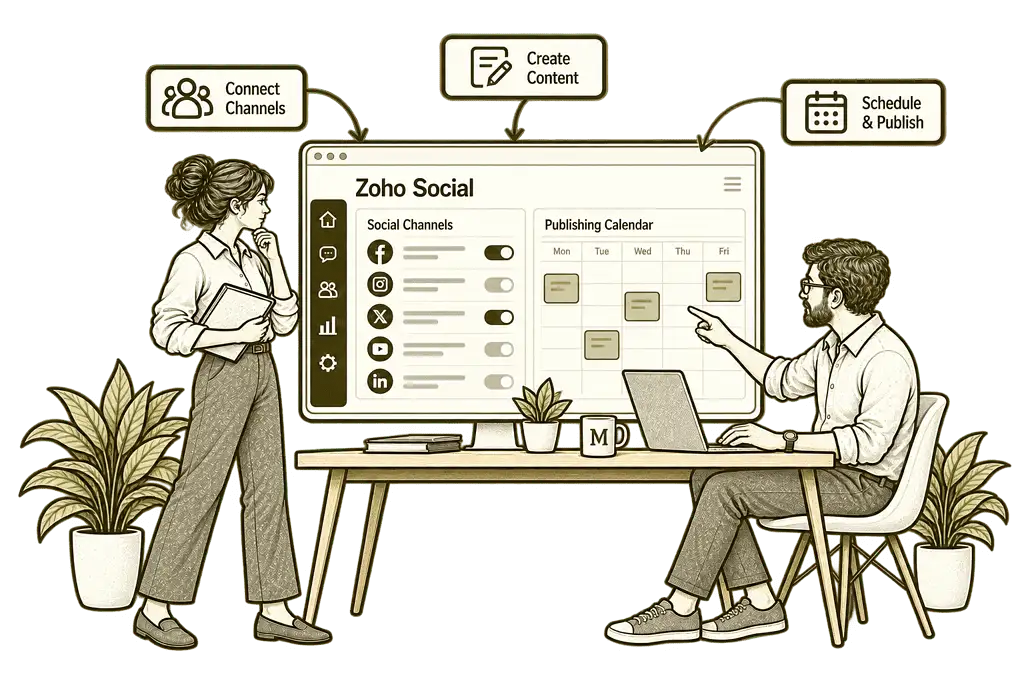
We establish your brands, channels and publishing responsibilities, then configure the available calendars, collaboration tools and reporting around a practical content routine.
Content Process Design
We define brands, channels and team responsibilities, helping your team plan content and manage the route from idea to published post.
Scheduling & Reviews
We configure publishing and review tools around your team, helping drafts receive the right checks and go out on the agreed channels at the planned times.
Channel & Brand Setup
We organise supported channel connections and access, helping the team manage each brand without mixing responsibilities or accounts.
Customer System Connections
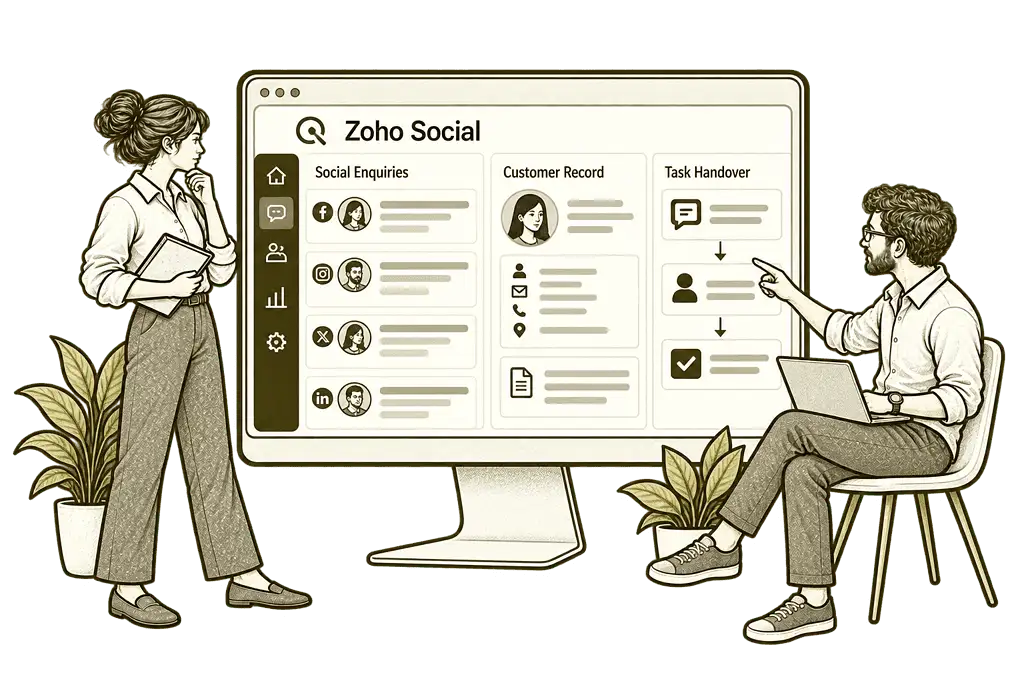
We assess CRM and support handovers around your processes, helping relevant social enquiries reach the right response team with enough context to continue.
Useful Social Reporting
We organise available reports around your content goals, helping the team compare results while allowing for differences between networks.
Training & Handover
We show your team how to manage drafts, schedules and responses, with practical guidance on each connected network’s limitations.
One Clear View of Your Publishing Plan
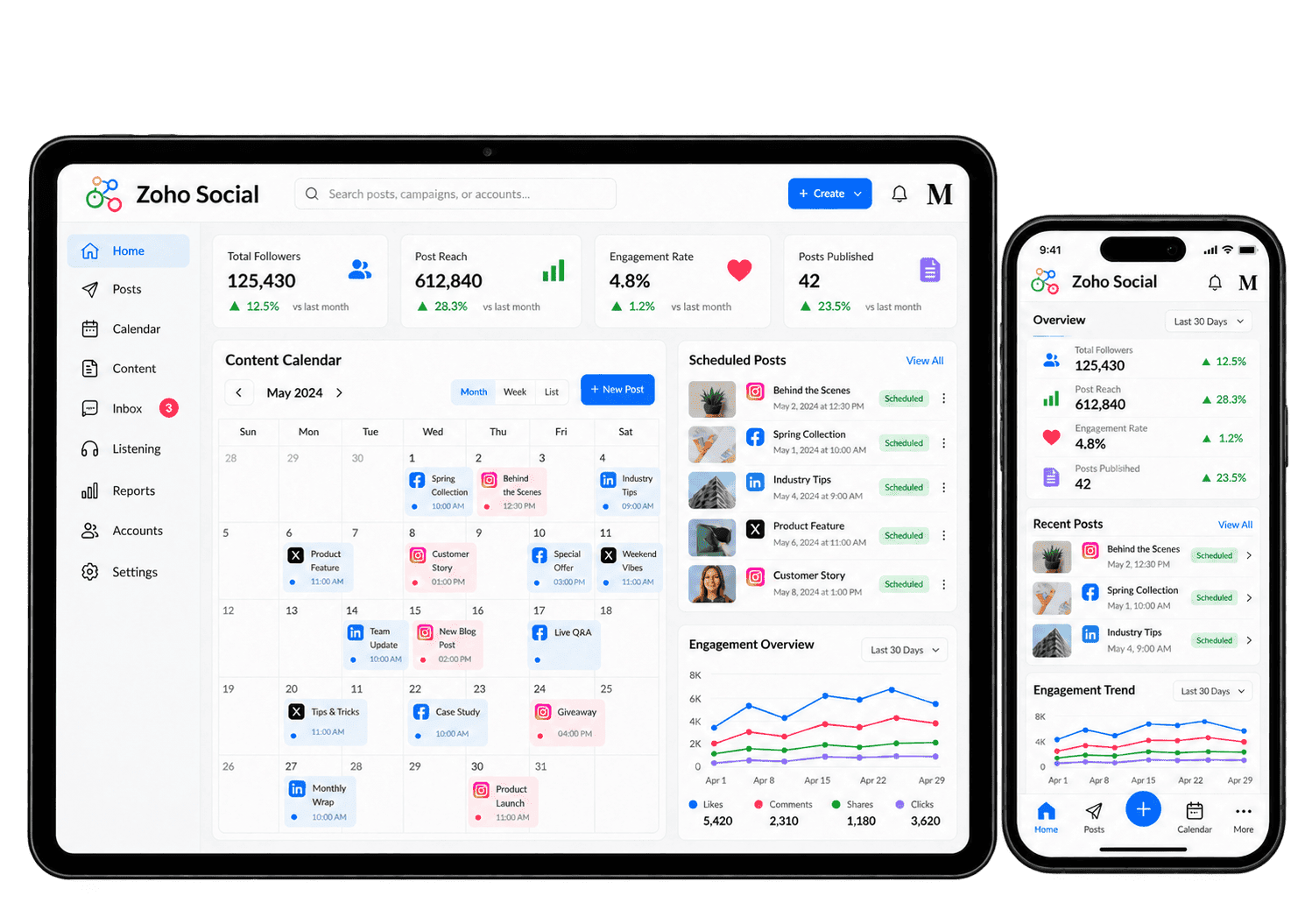
Your team should be able to see which posts are drafts, which need review and which are scheduled to publish. A shared calendar makes it easier to spot gaps and coordinate related content.
We organise the publishing plan around your audience and channels, with clear ownership and network-specific versions of the message rather than assuming one post fits everywhere.

Make Publishing and Team Reviews Easier
Scheduled publishing helps the team prepare content in advance, while a clear review process keeps ownership visible. We configure the available scheduling, collaboration and approval features, with plan and network restrictions checked before rollout.
-
Content planning
-
Channel versions
-
Scheduled publishing
-
Content approvals
-
Team collaboration
-
Engagement reviews
-
CRM handovers
-
Reporting reviews
Plan social content around audience questions and business priorities, with clear owners and an achievable publishing calendar. The calendar should reflect what the team can produce consistently, rather than an unrealistic publishing target.
- Agree themes and publishing priorities.
- Organise ideas and draft posts.
- Review gaps in the content calendar.
For example, a business wants monthly posts about its services. We organise themes, draft owners and review dates in the available calendar. The team checks each post's readiness and intended audience before scheduling. This keeps the plan connected to approved messaging and realistic publishing capacity.
Adapt posts for each supported social network, matching the wording, media and next action to its audience. We keep the original message consistent while changing the format and emphasis for each network.
- Check each network's format requirements.
- Adjust copy and media by channel.
- Review previews before publishing.
For example, a service insight will appear on several networks. We prepare suitable versions rather than copying identical text everywhere. The content owner checks each preview, format and intended next action. Every version should feel appropriate for the audience while retaining the approved business message.
Schedule approved posts using supported publishing tools, with agreed timing and a named owner for delivery problems. The team should know what has been approved, what is queued and what needs attention if publishing fails.
- Agree dates and time zones.
- Check supported publishing formats.
- Review failed or unpublished posts.
For example, the team prepares posts ahead of annual leave. We schedule them using supported account permissions and check the required formats. The publishing owner reviews delivery results and follows up failures. A calendar entry is not assumed to mean the post actually went live.
Review social drafts through the available approval process so only authorised content reaches the intended audience. We make the review stages proportionate to the risks of the message, channel and intended audience.
- Agree authors and approvers.
- Use supported approval features.
- Test revisions and rejected drafts.
For example, a technical post needs approval from a service expert. We define who reviews the draft and test the available approval process. Changes return to the right contributor before publication. The publishing owner verifies that the final version is approved, not merely scheduled.
Keep discussions and content decisions attached to the right draft, with clear permissions and responsibility for next steps. Colleagues can see what is awaiting input without duplicating work or relying on separate message threads.
- Define team access and permissions.
- Use available collaboration tools.
- Assign each outstanding decision.
For example, a writer needs input from a service specialist. We organise comments and revision ownership using available collaboration options. The specialist checks technical claims before the publishing owner approves the final wording. Unresolved questions stay with a named colleague instead of disappearing between versions.
Assign incoming social comments and messages to the right person, moving sensitive matters to a more appropriate private route. We define which conversations need a public reply and which require a private, accountable follow-up.
- Review supported comments and messages.
- Agree who handles each response.
- Move sensitive issues to private channels.
For example, someone asks about a service publicly while another visitor raises a confidential issue. We define who responds and which conversation should move to a private channel. The team checks the supported interaction tools and handles each enquiry without exposing personal details.
Pass relevant social enquiries to customer follow-up through supported CRM integration, without treating every interaction as a lead. Only genuine commercial enquiries should enter the sales process, with relevant history and a clear owner.
- Check supported interaction capture.
- Agree contact matching and ownership.
- Test the available CRM connection.
For example, a prospect requests a sales conversation through social media. We check the supported connection and agree what information should reach CRM. The salesperson reviews the record and its context before following up. Likes and ordinary reactions remain separate from genuine customer enquiries.
Review social results against the purpose of each post, taking account of platform differences and separate website tracking. The measures should help the team understand what worked and what to change in the next publishing cycle.
- Agree useful measures for each channel.
- Check network reporting limitations.
- Review website results separately.
For example, posts encourage visitors to read a service page. We examine available engagement and link activity alongside separately tracked website outcomes. The content owner reviews what the data supports before planning the next posts. A network interaction is not presented as a confirmed customer enquiry.
Understand Which Content Earns a Response
Useful reporting compares the available reach, engagement and audience measures with the purpose of each post. We allow for differences between networks and scope website or CRM tracking separately when you need to understand enquiries or other later outcomes.
Publishing Consistency
Review the content calendar to see what has been published and which planned posts still need preparation or a final review.
Content Engagement
Review available reactions, comments and shares to understand which topics earn a response from your audience.
Audience Reach
Review the reach or impression measures available on each network, keeping their different definitions in mind.
Website Outcomes
Assess separate website tracking to understand visits and enquiries that follow social links where attribution is available.
Audience Changes
Review available follower and audience trends to understand how your connected channels develop over time.
Channel Comparisons
Compare relevant results by channel while allowing for differences in audience, format and reporting capabilities.
Response Activity
Review the engagement information available to understand where customer conversations need team attention.
Content Comparisons
Compare posts with similar purposes and audiences to identify useful topics and formats for your next planned publishing cycle.
Connect Social Activity With Your Business
A social conversation may need a sales follow-up or customer-service response. It should reach the right team with the relevant context rather than stay in a disconnected inbox.
We assess supported connections with Zoho CRM, customer support tools and the wider Zoho One suite. Your website and email campaigns can support the same content plan, with any data connection scoped separately.

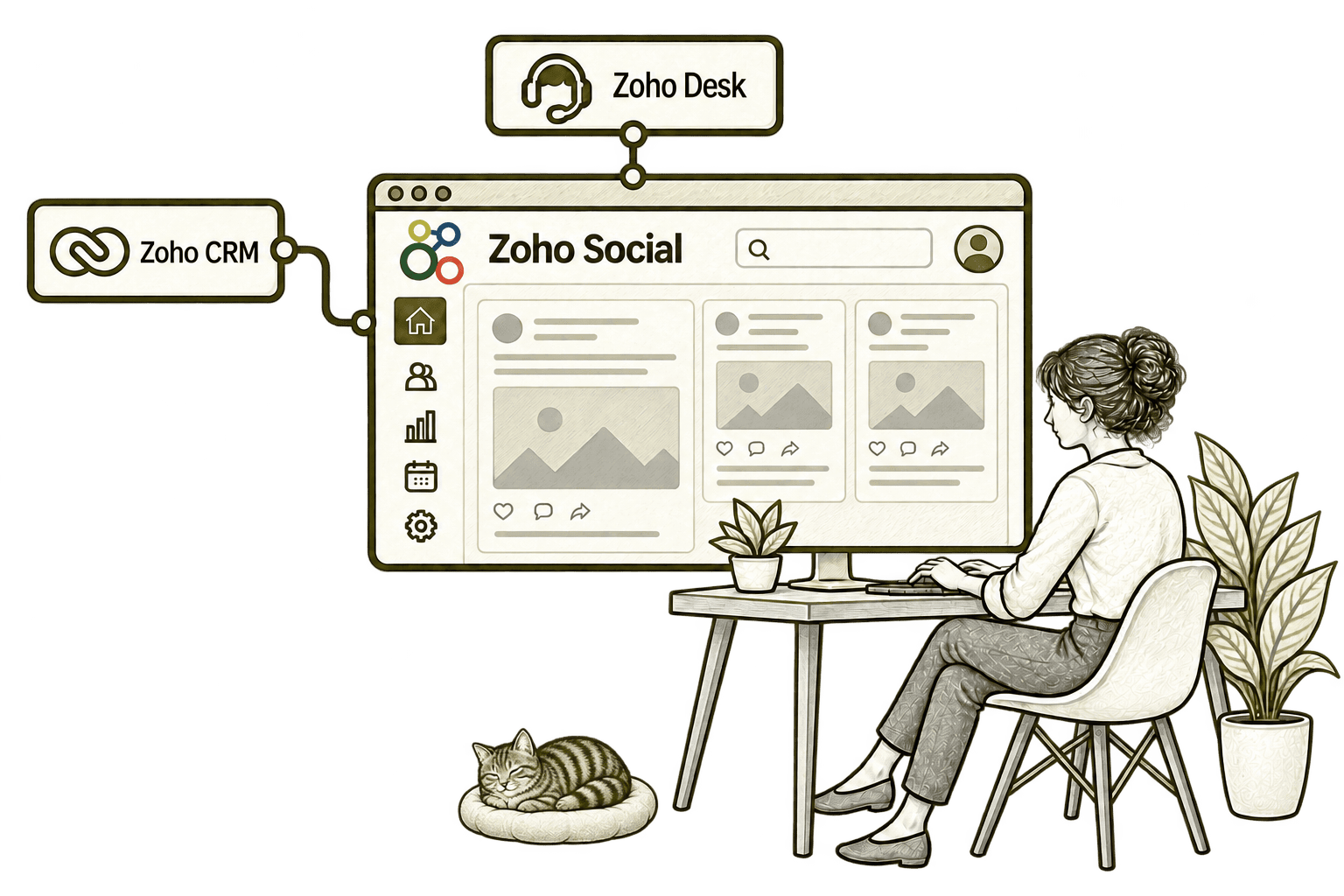
A promising social conversation can miss the sales pipeline. Connecting Social with CRM captures relevant prospects, so sales can follow up with the context of their original enquiry.
A customer complaint can get lost among social posts. Connecting Social with Desk turns the relevant interaction into a ticket, giving support a clear owner and a record to resolve.
Better Social Management Starts With the Process
Whether you are introducing a shared publishing tool or improving Social, we review content ownership, channel coverage and the response process before adding more tools.
Starting Fresh
We agree brands, channel access, publishing roles and a practical content plan before configuring Social. Your team starts with a clear calendar and tested publishing routines.
Already Using Zoho Social
We review channel connections, drafts, approval steps and reporting to find where coordination creates extra work. Useful existing settings are retained and changes focus on practical improvements.
A Clearer Starting Point
Not sure whether the problem is content planning, team ownership or the process after a social enquiry? Our Business Systems & Operations Audit helps establish where to start.
You receive a practical view of the main issues and recommended priorities, giving you a clearer basis for deciding what to improve next.
What a Zoho Social Engagement Includes
Discovery & Channel Mapping
Agree brands, audiences, channels and the purpose of your content.
Access & Team Design
Define who drafts, reviews, publishes and handles responses.
Calendar & Content Setup
Organise drafts and scheduling for each channel.
Reviews & Connections
Configure supported approvals and assess required customer handovers.
Reporting & Publishing Tests
Agree useful measures and test the required formats on each channel.
Training & Optimisation
Help the team use the setup and refine it using relevant results.
The scope depends on your brands, networks, team and required connections. We confirm plan limits and network-specific publishing and engagement capabilities before agreeing the work.
Different Businesses. Different Social Audiences.
A consultancy may share insights; a recruiter may promote opportunities; a charity may tell supporter stories. We configure the publishing and response process around the audience, with content adapted for each relevant network.
Plan general service insights and brand updates, with client confidentiality and content reviews built into your publishing process.
Coordinate product news and service content across relevant networks, with customer questions directed to the appropriate response team.
Publish approved service insights and brand content, with sensitive customer information handled through appropriate private channels.
Recruitment & Workforce Agencies
Coordinate employer-facing content and opportunity updates, adapting formats and messages for the audience on each network.
Manage approved brand and educational content, with your review process applied before publication on appropriate social channels.
Property & Housing Associations
Plan community and property-related updates, with sensitive tenancy questions directed to suitable private service channels.
Coordinate supporter stories and programme updates, with consent, safeguarding and content ownership considered before publication.
Share suitable project news and business insights, with permissions for site images and client references managed through your process.
Why Mason & Co
We combine Zoho implementation with integration and business process design. We look beyond scheduling posts to the team roles, customer conversations and reporting needed to make social media manageable.
Senior-led consultancy
Work directly with senior consultants who understand your business process and technical delivery.
UK-based, international delivery
Work with our UK-based team across locations, with delivery planned around your working hours.
Architecture + implementation
Connect business design with practical configuration and integrations that support everyday work.
Zoho + AI + automation
Connect Zoho, AI and automation where they solve a clear problem and improve your daily processes.
Not Sure Whether Mason & Co Is the Right Fit?
Tell us what you want to implement, improve or fix. We will discuss whether we can help and recommend a sensible next step based on what you share.
Your Questions Answered
Can you improve an existing Zoho Social setup?
Yes. We review brands, channel connections, publishing routines, team collaboration and reporting. We retain useful configuration and prioritise changes that make content planning and responses clearer.
Do we need Zoho One to use Social?
No. Zoho Social can be used as a standalone application. We assess the plan and connections you need; the wider Zoho One suite can be considered separately if several applications are required.
Which social networks can we manage?
We check the networks and account types you use against Social’s current supported connections. Publishing formats, comments, messages and monitoring capabilities vary by network, so we confirm each required action rather than assuming identical support.
Can Social connect with Zoho CRM?
Yes. We assess the supported Zoho CRM integration against your enquiry process. We agree which interactions should become customer records and who follows up, then test matching and permissions before rollout.
Can you set up content approvals?
Yes, where your plan supports the required collaboration and approval tools. We agree who drafts, reviews and publishes, then configure and test the workflow against your team’s responsibilities.
How long does a Social implementation take?
Timing depends on the number of brands and channels, access requirements, team roles and integrations. We agree the scope first and provide a delivery plan, including publishing tests and a practical handover.
Can Social reporting show business outcomes?
We set up reporting around the measures available for your connected networks. Website visits, enquiries and sales require separate tracking and attribution work; engagement alone does not establish a business conversion.
Where Is Managing Social Content Creating Extra Work?
Tell us how content is planned and how social responses reach the right person. We will help assess Zoho Social and identify the publishing, review and customer handovers that need attention.
30 minutes. No charge. No obligation.