









































Zoho Campaigns Send Relevant Emails With a Clear Purpose
Reach the right contacts with useful, relevant emails. We configure Zoho Campaigns lists, segments and templates around your audience, subscriptions and business goals.
We help your team prepare emails and manage consent, connect campaign activity with customer records and review the response so follow-up has a clear place in the process.
✓ Implementation & improvement ✓ UK-based senior consultants ✓ Free 30-minute consultation ✓ Clear scope & pricing before work begins
When Email Marketing Becomes Hard to Manage
Email campaigns become harder when audience data is scattered. Contact lists come from several sources and every send requires manual preparation without clear list ownership.
We align Campaigns signup, data preparation and sending. Agreed preferences, segments and templates help your team send relevant messages, follow up and review the next customer action.
Unclear
Audience Groups
Contacts receive the same message despite different interests, making campaigns less useful to the people reading them.
Fragmented
Contact Data
Lists and subscription details sit in separate places, making it harder to maintain a dependable audience for each campaign.
Repeated
Manual Work
Staff rebuild templates and contact lists for each send, adding manual work rather than using a consistent campaign process.
Unclear Campaign
Outcomes
Reports show sending activity without a clear link to the action you wanted contacts to take after reading your message.
Three Ways We Help With Zoho Campaigns
You may need a first email marketing setup, improvements to existing campaigns or a connection to customer records. We agree the audience and business outcome before configuring the tools.

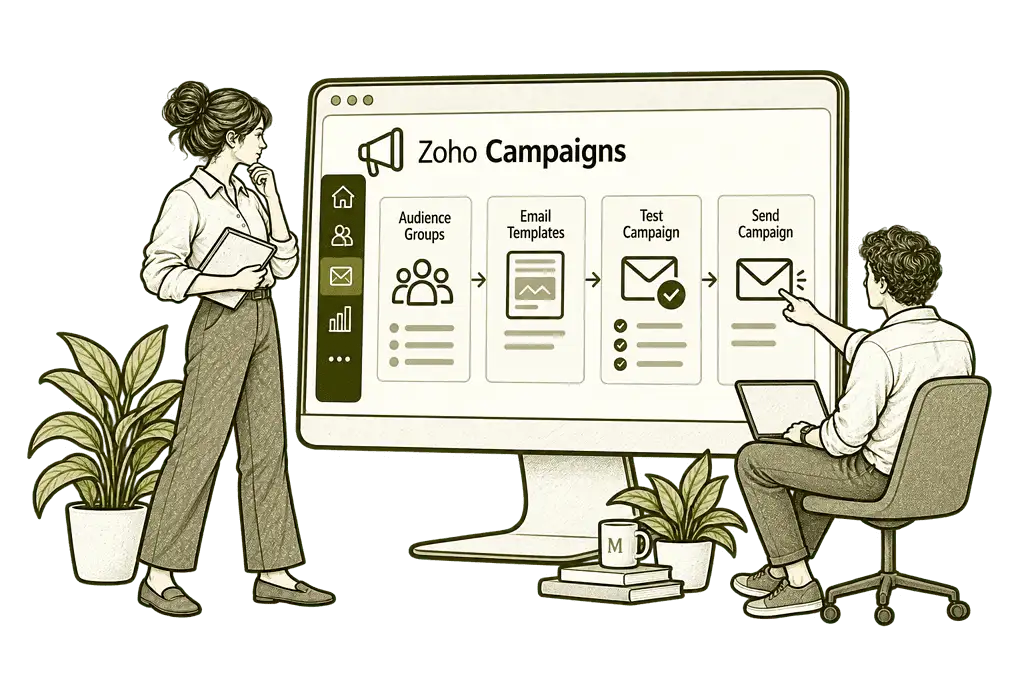
Set Up Zoho
Campaigns

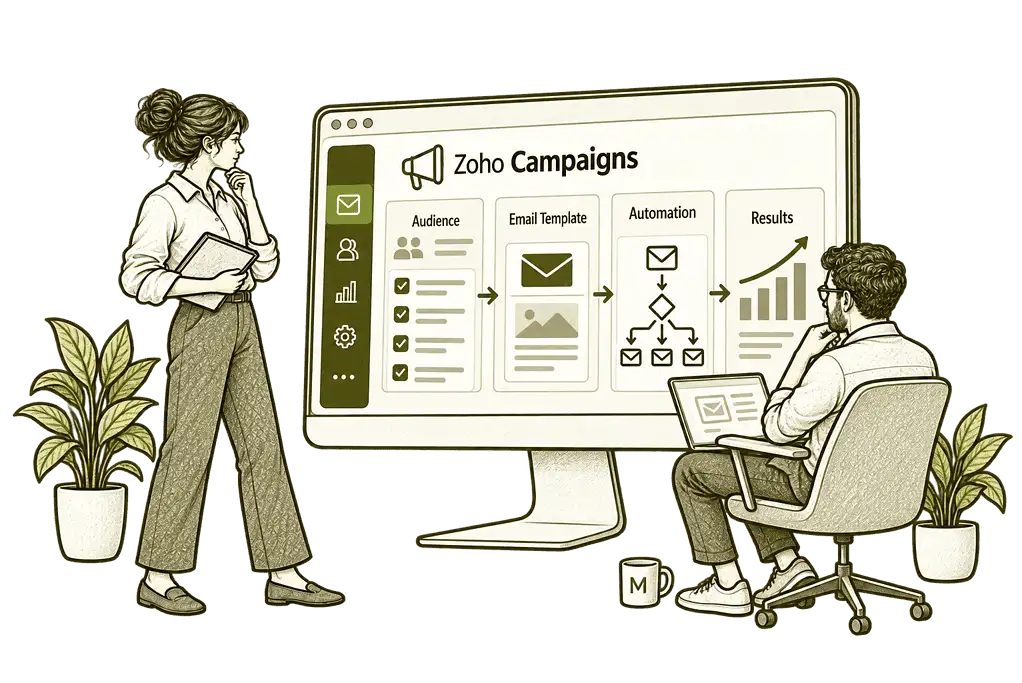
Improve Your
Email Marketing

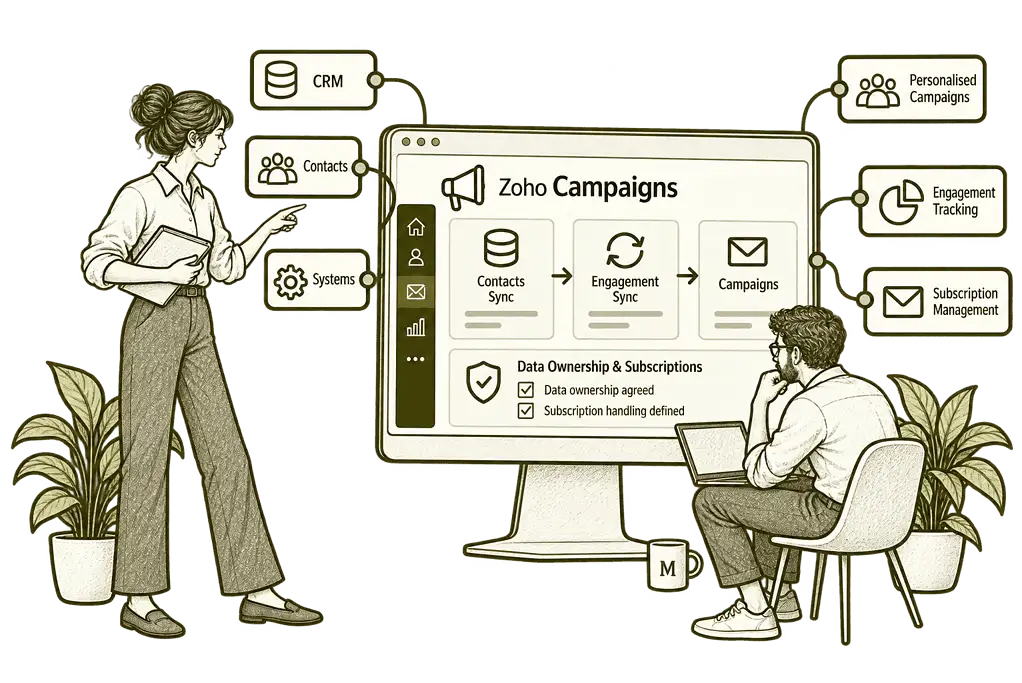
Connect Campaigns
With Your Systems
Email Marketing Built Around Your Audience
We establish who you want to reach, what they have subscribed to and which messages are useful to them. Then we configure contact fields, segments and templates around a manageable campaign process.
Audience & Segment Design
We organise relevant contact fields and audience groups, helping your team choose recipients who match each campaign’s purpose.
Email Workflows
We configure supported welcome and nurture journeys with useful content, clear timing and practical exit rules for each sequence.
Contact Preparation
We prepare contact imports and map preference and suppression information, helping your team maintain a usable sending audience.
CRM & Signup Connections
We assess CRM sync and signup routes, agreeing data ownership and subscription handling before enabling full audience connections.
Campaign Reporting
We organise available reports around delivery and engagement, with wider website or sales outcome tracking scoped separately.
Training & Handover
We show your team how to select audiences, prepare emails and review test sends, using practical examples from your campaigns.
A Clear Journey From Signup to Relevant Email
A subscriber should understand what they are signing up for and how to manage their preferences. Your team should know the contact’s source, relevant interests and subscription status before including them in a campaign.
We organise signup routes and audience data around that journey, with practical rules for imports, segmentation and suppression so the mailing process remains understandable as the audience grows.

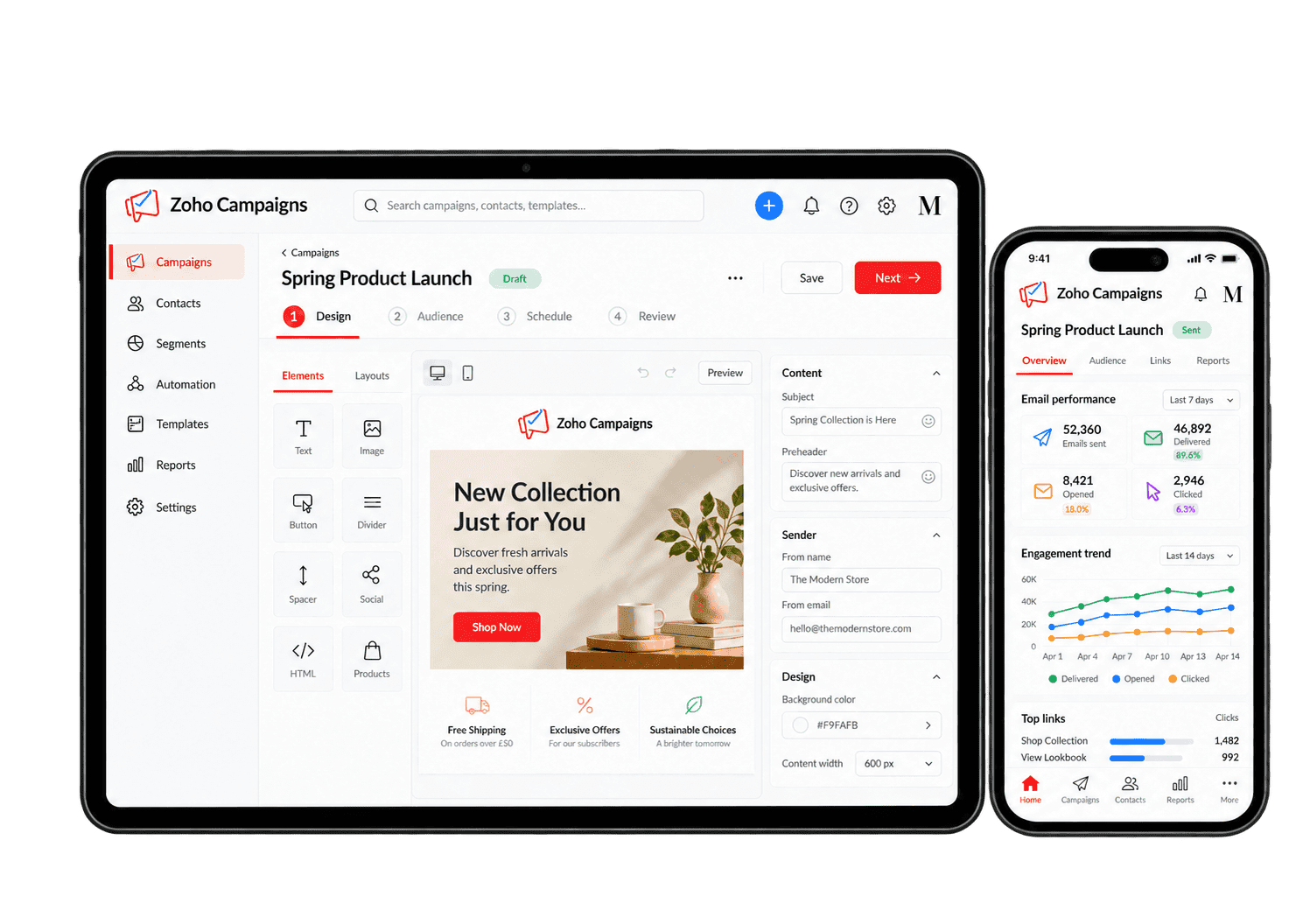
Automate the Emails That Have a Useful Next Step
A welcome email should explain what a subscriber can expect. A nurture sequence should offer relevant information, and a re-engagement journey should respect the contact’s preferences. We configure supported workflows with clear triggers, timing and exit rules.
-
Signup journeys
-
Audience segments
-
Welcome emails
-
Nurture journeys
-
Re-engagement
-
Campaign testing
-
CRM synchronisation
-
Reporting reviews
Give new subscribers a clear signup and confirmation journey so they understand which updates they have requested. The form, consent language and first message need to match the expectations set on your website.
- Explain what subscribers will receive.
- Capture relevant communication preferences.
- Test the available confirmation journey.
For example, a reader signs up for service updates. We agree the signup wording and preferences, then test the confirmation process with a sample address. The audience owner checks successful enrolment and the first message received. People should understand what they signed up for before later campaigns begin.
Use relevant contact information and supported segments to send each campaign to the right audience. We review where each segment gets its information and who is responsible for keeping that data accurate.
- Agree which contact fields matter.
- Set up supported audience rules.
- Review recipients before sending.
For example, an update concerns customers using a particular service. We build the audience using agreed fields and test which contacts are included. We check exclusions, preferences and any unexpected records before sending. The campaign owner approves the selected audience so unrelated subscribers do not receive the message.
Welcome new subscribers with an appropriate first message and supported workflow that respects their stated preferences. The message should confirm what happens next rather than immediately overwhelming someone with further marketing.
- Prepare a useful welcome message.
- Configure a supported signup trigger.
- Agree when the journey should stop.
For example, a reader subscribes to receive practical advice. We prepare an introduction with relevant resources and check the available workflow. Testing covers enrolment, timing, sender details and links. The audience owner reviews duplicate or failed journeys before launch so subscribers receive the expected welcome.
Share useful explanations through a supported email sequence, adjusting timing and stopping rules as reader interests change. Each communication needs a clear reason to be sent, with a sensible next action for the reader.
- Choose content that answers real questions.
- Space messages at suitable intervals.
- Define exits and suppression rules.
For example, someone exploring a service needs more context before booking a meeting. We plan helpful emails that address their questions and agree sensible delays. Testing covers replies, changed preferences and journey completion. The audience owner can adjust or stop the sequence rather than sending messages after interest has moved on.
Review less-active subscribers carefully and use appropriate re-engagement messages without ignoring preferences or activity limitations. We distinguish genuinely inactive contacts from people whose engagement cannot be measured reliably.
- Define relevant audience criteria.
- Use a focused message and timing.
- Respect preferences and stopping rules.
For example, a reader has not engaged with recent updates. We assess suitable audience rules and prepare one relevant message, rather than repeated reminders. The owner checks suppressions and response handling before sending. We review the results cautiously because activity signals do not always show whether someone has read an email.
Check content, links, recipients and personalisation before a campaign is released, using available tests to catch errors. A short release checklist gives the team confidence that the message will reach its intended recipients.
- Check links and personalised fields.
- Send test messages for review.
- Assess supported A/B testing options.
For example, an update includes links to several service pages. We test their destinations, verify personalised wording and check the intended recipients. The campaign owner reviews the finished message and any supported comparison test. Errors are corrected before the campaign reaches subscribers.
Keep CRM contact information aligned through supported synchronisation, without overwriting marketing preferences or suppressions. We check how updates, consent and opt-outs move between systems before allowing live records to synchronise.
- Agree sync scope and field mapping.
- Define which system owns each field.
- Test subscription and suppression rules.
For example, a customer changes their contact details in CRM while managing email preferences separately. We agree which records and fields should sync, then test changes in both directions. The audience owner verifies that updating an address cannot restore unwanted marketing. Exceptions are reviewed before automatic synchronisation is relied upon.
Review campaign delivery and meaningful reader actions, using separate website or CRM evidence before claiming business results. The review should lead to specific changes in targeting, content or follow-up, not simply another dashboard.
- Check delivery, clicks and unsubscribes.
- Treat open rates as directional only.
- Review outcomes through agreed tracking.
For example, a campaign aims to generate consultation requests. We examine delivery and clicks, then compare them with available website and CRM evidence. The owner reviews tracking limitations and decides what to improve. A click may show interest, but it is not treated as a completed enquiry or sale.
Understand What Your Campaigns Achieve
Useful reporting shows delivery, clicks, bounces and unsubscribes, then connects the results to the action you wanted the reader to take. We treat opens as a directional signal because privacy features and automated activity can affect them, and scope website or CRM outcome tracking separately.
Delivery Results
Review delivered messages and failed sends to identify where delivery problems need investigation and which records require attention.
Link Clicks
Review which links attract activity and compare the response with the action each campaign was intended to support.
Open Signals
Use reported opens as a directional measure, allowing for privacy features and automated activity that affect tracking.
Business Outcomes
Review website or CRM tracking for later actions, while recognising that an email click does not guarantee a sale.
Bounce Patterns
Review bounces and contact quality to identify audience records and sending issues that need attention before the next campaign.
Email Unsubscribes
Review unsubscribe activity and preferences to understand whether content remains relevant to the selected audience.
Audience Engagement
Compare available segment results to see which groups respond and where a different message may be useful.
Compare Campiagns
Compare relevant campaign or test results using consistent measures, allowing for differences in audience and timing.
Connect Email Marketing With Your Business
Email engagement is useful when it supports the wider customer journey. Sales may need relevant campaign context, while marketing needs current contact details and reliable subscription status.
We assess the supported Zoho CRM connection and the wider Zoho One ecosystem. We agree field mapping, sync ownership and suppression behaviour before connecting systems, so a contact update does not become an unintended marketing enrolment.

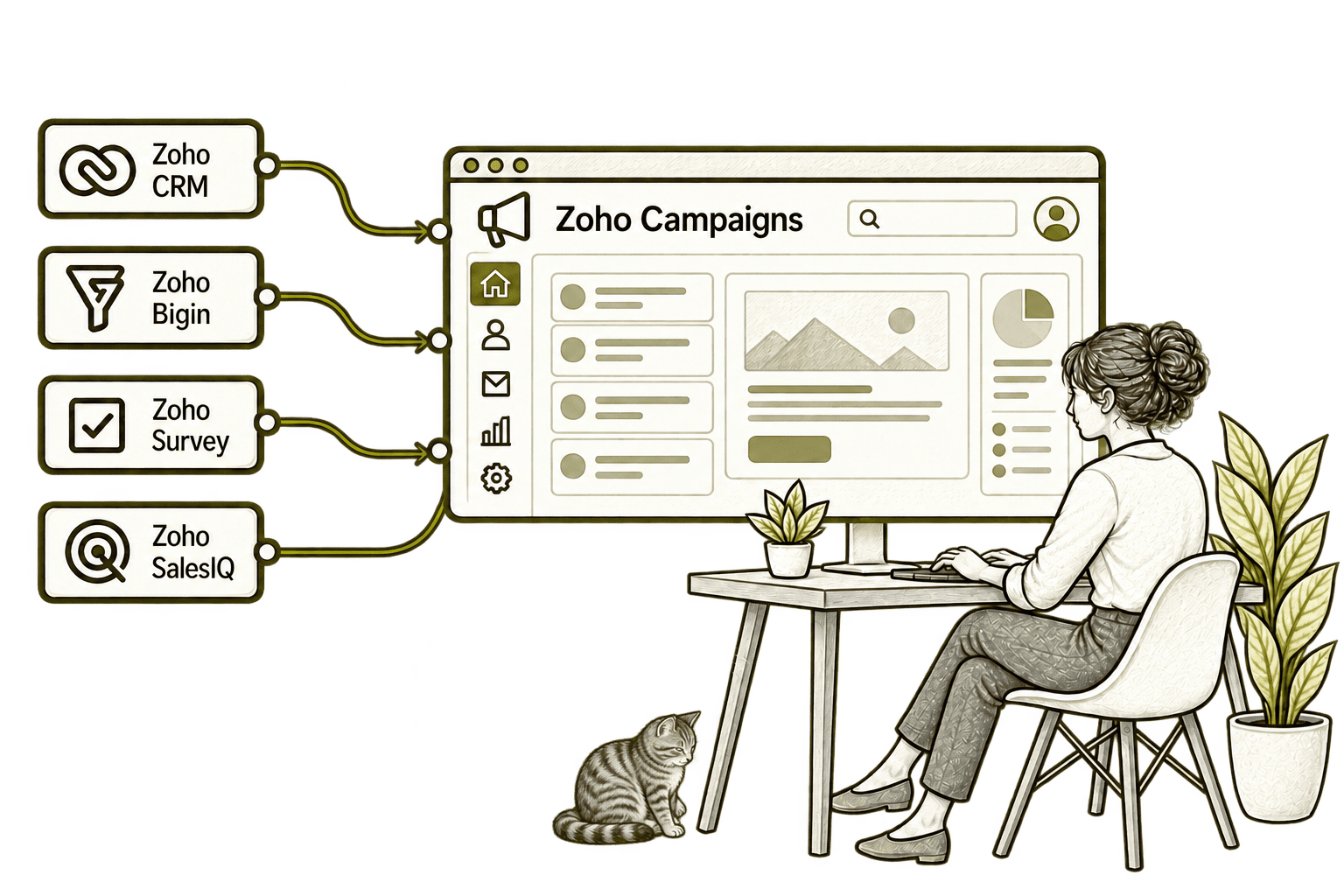
Separate contact lists become outdated. Connecting CRM with Campaigns brings selected contacts into mailing audiences, helping marketing use current details and respect subscription preferences.
A separate mailing list misses customer changes. Connecting Bigin with Campaigns feeds selected contacts into agreed audiences, making follow-up more relevant while respecting subscription preferences.
Feedback requests sent separately are easy to overlook. Connecting Campaigns with Survey brings surveys into email campaigns, helping marketing collect responses from the intended audience.
An email click alone gives limited context. Connecting Campaigns with SalesIQ helps staff recognise campaign visitors and understand their website activity before starting a relevant conversation.
Better Campaigns Start With a Clear Plan
Whether you are launching email marketing or improving Campaigns, we review the audience, subscription journey and sending process before adding more automation.
Starting Fresh
We agree contact sources, audience groups and sending requirements before configuring Campaigns. Templates, signup routes and test campaigns give your team a clear starting point.
Already Using Zoho Campaigns
We review list organisation, segmentation, templates and workflow rules to identify unnecessary work and confusing audience behaviour. Useful existing configuration is retained.
A Clearer Starting Point
Not sure whether the problem is audience data, campaign content or a disconnected sales process? Our Business Systems & Operations Audit helps establish where to start.
You receive a practical view of the main issues and recommended priorities, giving you a clearer basis for deciding what to improve next.
What a Zoho Campaigns Engagement Includes
Discovery & Audience Mapping
Agree audiences, contact sources and the purpose of your campaigns.
Segments & Preference Design
Define useful fields, audience groups and subscription handling.
Contact Import & Preparation
Map contact data and check audience suppressions.
Templates & Workflows
Configure reusable emails and test the required automated journeys.
Reporting & Test Sends
Agree success measures and check links, content and sending behaviour.
Training & Optimisation
Help the team improve campaigns using results.
The scope depends on your contact data, campaign requirements and connections. We confirm edition limits, contact volumes and workflow availability before agreeing the implementation.
Different Businesses. Different Email Audiences.
A consultancy may send insights; a distributor may share product updates; a charity may communicate with supporters. We configure audiences and campaign journeys around the information each group expects to receive.
Share service updates and insights with relevant subscriber groups, keeping confidential case communications in specialist systems.
Send product news and commercial updates to relevant customer groups, with audience selection based on useful account information.
Share service insights and general updates with suitable subscribers, keeping sensitive claim communications in the appropriate channels.
Recruitment & Workforce Agencies
Segment employer and candidate audiences for relevant updates, with subscription preferences and recruitment activity kept distinct.
Send approved updates to relevant audiences, with promotional content and recipient requirements reviewed through your process.
Property & Housing Associations
Share relevant property or community updates with suitable subscriber groups, keeping essential tenancy communications appropriately managed.
Communicate with supporter and partner audiences using relevant content, with preferences and sensitive beneficiary details handled separately.
Share service news and project insights with suitable customer and partner groups, with useful segmentation and clear subscription choices.
Why Mason & Co
We combine Zoho implementation with data, integration and business process design. We look beyond the email editor to the audience records, subscription journey and connected follow-up needed to make campaigns useful.
Senior-led consultancy
Work directly with senior consultants who understand your business process and technical delivery.
UK-based, international delivery
Work with our UK-based team across locations, with delivery planned around your working hours.
Architecture + implementation
Connect business design with practical configuration and integrations that support everyday work.
Zoho + AI + automation
Connect Zoho, AI and automation where they solve a clear problem and improve your daily processes.
Not Sure Whether Mason & Co Is the Right Fit?
Tell us what you want to implement, improve or fix. We will discuss whether we can help and recommend a sensible next step based on what you share.
Your Questions Answered
Can you improve an existing Zoho Campaigns setup?
Yes. We review audience data, segments, templates, sending settings and workflows. We retain useful configuration and prioritise changes that make your campaigns easier to manage and more relevant.
Do we need Zoho One to use Campaigns?
No. Campaigns can be used as a standalone application. We assess the edition and connections you need; the wider Zoho One suite can be considered separately where several applications are required.
Can you import contacts from another email platform?
Yes. We help prepare and map contact data, including relevant source, preference and suppression information. We agree which records are appropriate to import and test the result before the audience is used for sending.
Can Campaigns connect with Zoho CRM?
Yes. Campaigns offers a Zoho CRM integration. We agree contact scope, field mapping, sync direction and subscription handling, then test updates and suppression behaviour before enabling the full connection.
Can you build welcome and nurture workflows?
Yes, subject to the features available in your edition. We configure supported welcome, nurture or re-engagement workflows with relevant content, agreed delays and clear rules for leaving or stopping a sequence.
How long does a Campaigns implementation take?
Timing depends on your contact data, templates, signup routes, workflows and integrations. We agree the scope first and provide a delivery plan, including test sends and a practical team handover.
Can you help improve email deliverability?
We can assess sender-domain authentication, contact quality, sending practices and the available delivery reports. Inbox placement also depends on recipient systems and reputation, so configuration alone cannot guarantee every email reaches the inbox.
Where Could Your Email Campaigns Work Better?
Tell us who you want to reach and what should happen after an email. We will help assess Zoho Campaigns, your contact data and the preparation, consent and follow-up steps involved.
30 minutes. No charge. No obligation.