








































Zoho SalesIQ Turn Questions Into Conversations
Help website visitors get answers while interest is fresh. We configure Zoho SalesIQ chat, routing and chatbots around your customer journey and the team responding.
We give conversations clear owners and useful follow-up, connecting customer details with the systems you use so enquiries reach the right person with the right context.
✓ Implementation & improvement ✓ UK-based senior consultants ✓ Free 30-minute consultation ✓ Clear scope & pricing before work begins
When Website Enquiries Slip Through the Gaps
Website visitors may need an answer before making an enquiry. Unattended chat and repeated questions create delays, while useful conversations fail to reach the right person.
We shape SalesIQ around availability, routing and follow-up details. Clear handovers help conversations reach the right person, with a human response when judgement is required.
Unanswered Questions
Visitors cannot easily get help while browsing, leaving service questions unresolved when interest is fresh.
Missed Conversations
Unclear chat coverage and ownership leave enquiries waiting without a reliable response or follow-up.
Repeated Routine Work
Your team answers the same questions repeatedly instead of using approved replies and practical automation.
Disconnected FollowUp
Useful conversations stay in chat history without a clear owner or handover to the customer record.
Three Ways We Help With Zoho SalesIQ
You may need live chat for the first time, a better existing SalesIQ setup or a connection between conversations and customer records. We scope the work around the response your visitors and team need.

Set Up Zoho
SalesIQ

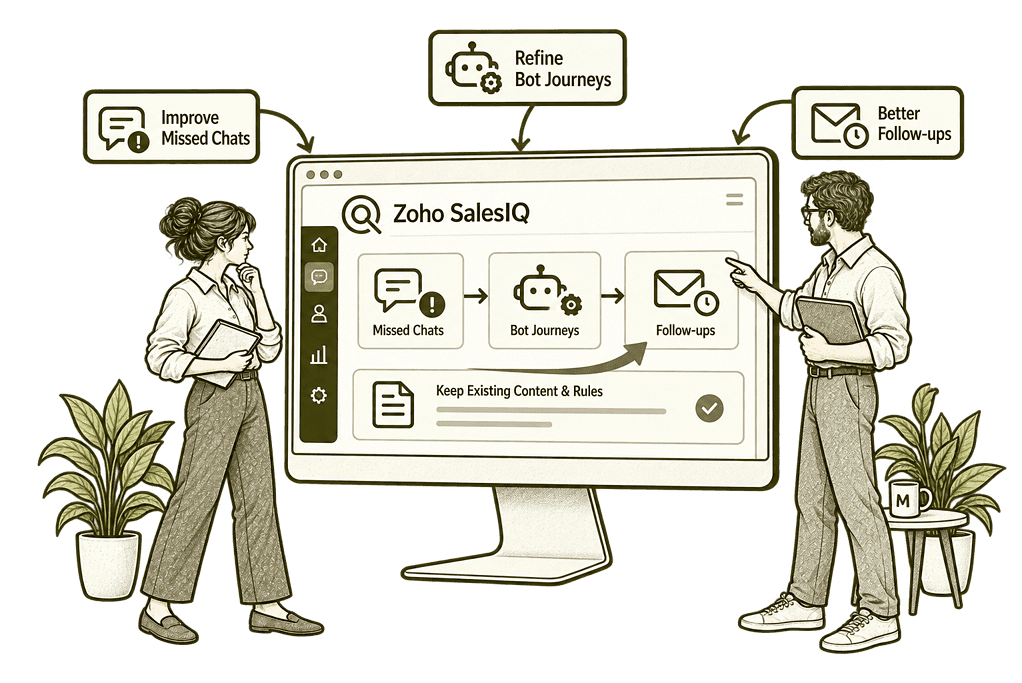
Improve Your
Existing SalesIQ

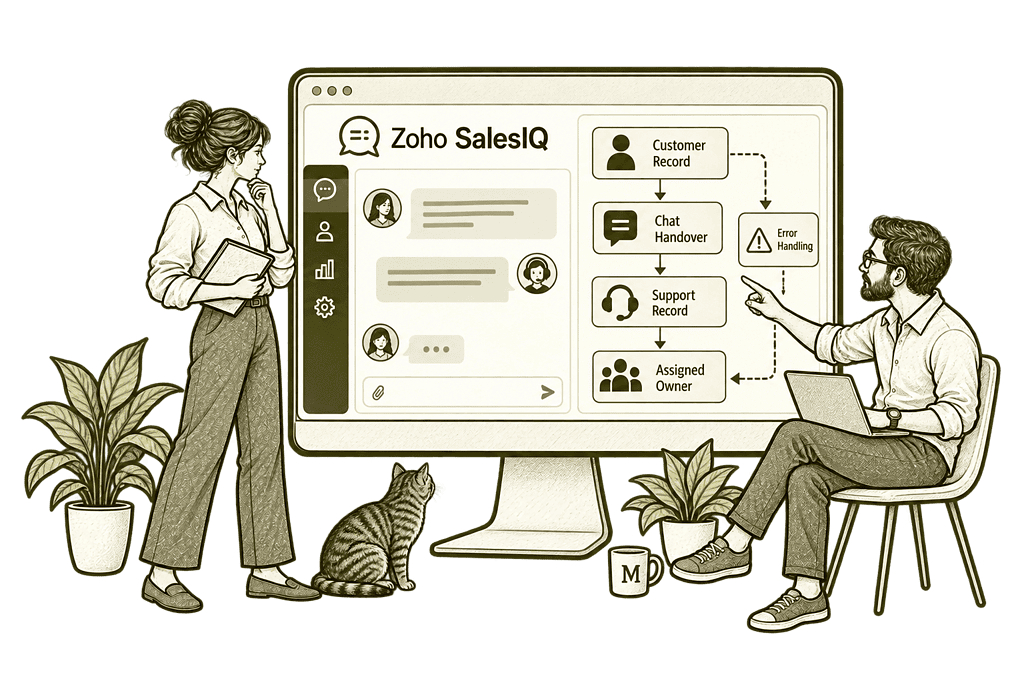
Connect Conversations
With Your Systems
Customer Engagement Built Around Your Business
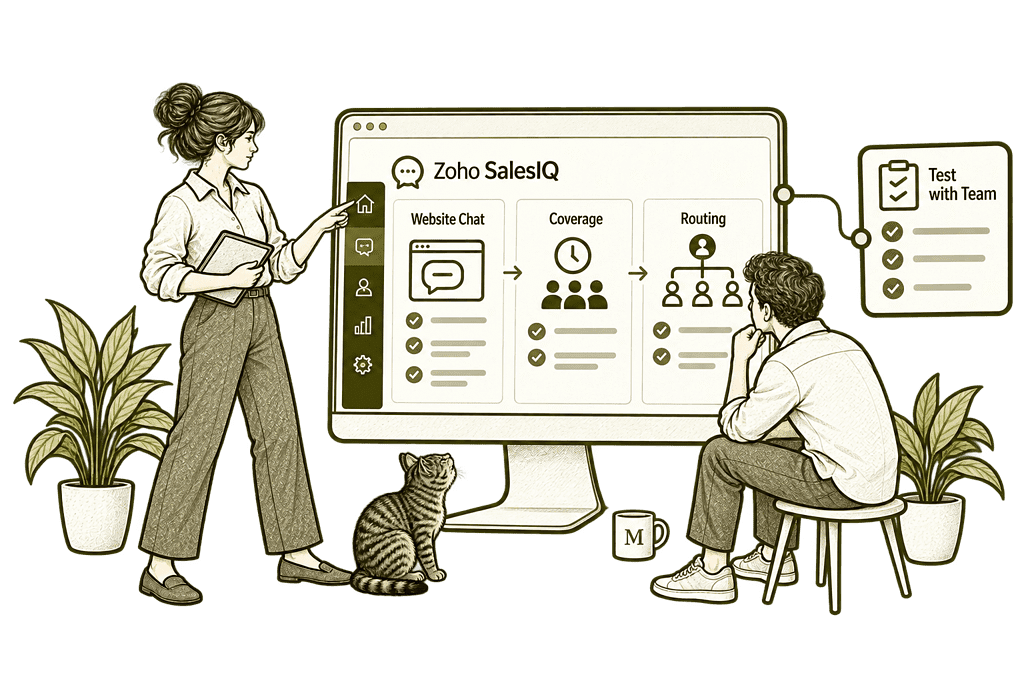
We establish who visits your website, what they commonly ask and which team should respond. Then we configure chat availability, departments, routing and enquiry capture around a practical customer journey.
Engagement Design
We define when visitors need help, which questions to ask and how conversations should reach the right response team.
Chatbots & Automation
We configure supported bot journeys and approved answers, with practical fallback routes when a visitor needs a person.
Chat Widget Setup
We organise chat branding, departments and availability, helping visitors see how to get help and what to expect.
Customer System Connections
We assess CRM and support integrations, helping suitable conversation details reach the team responsible for the next step.
Engagement Reporting
We configure reports and views to help managers review chat demand, response times and missed conversations.
Agent Training
We help your team manage chats, use approved replies and complete handovers with practical guidance.
A Clear Journey From First Question to Follow-Up
A visitor should understand how to get help and what happens after sharing their details. Your team should see the question, relevant conversation history and the information needed to respond.
We design the journey from opening the chat to assigning a conversation and recording the next action. Where a visitor has not identified themselves, we avoid treating browsing activity as a verified customer identity.

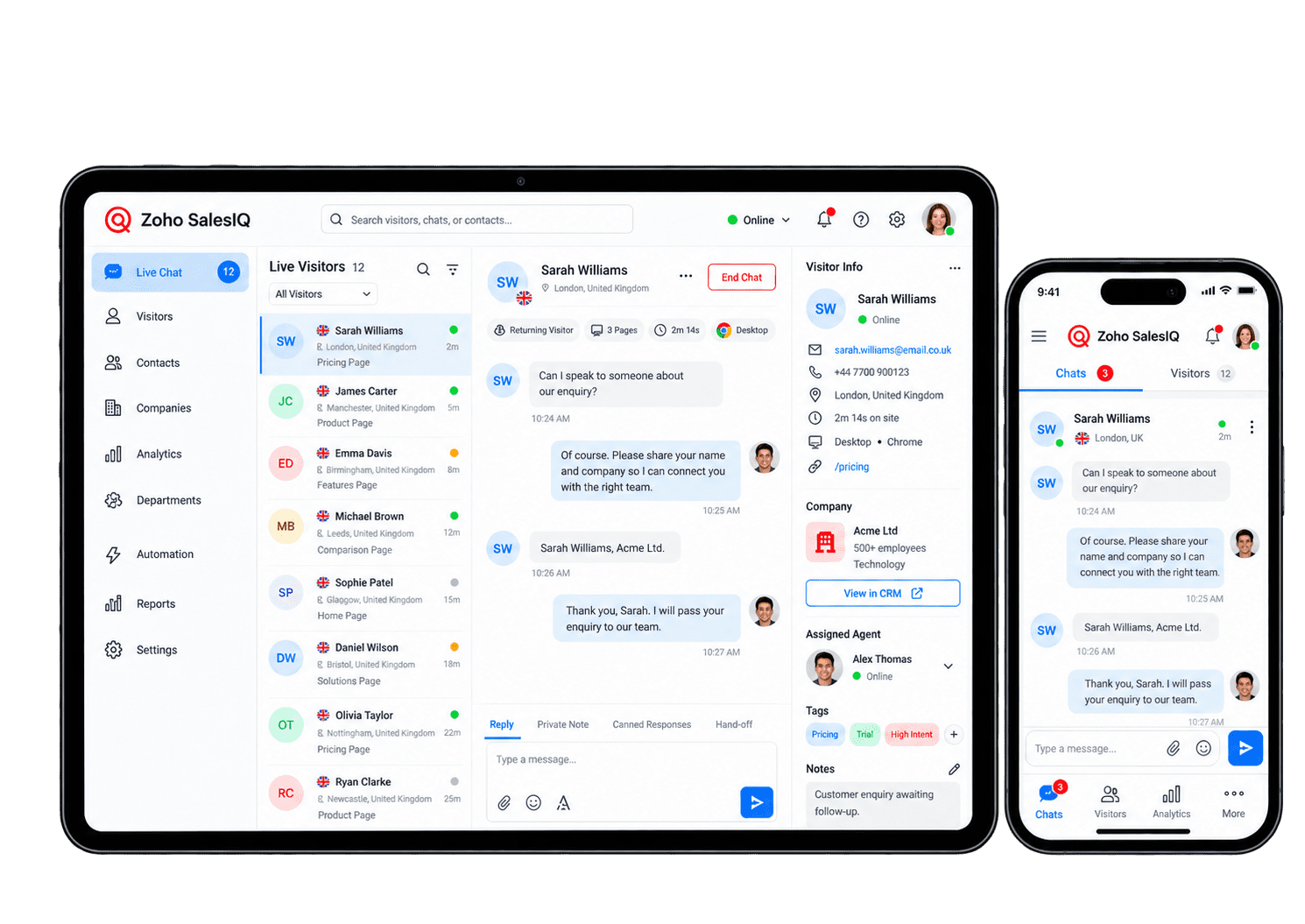
Automate Routine Questions. Keep People in Control.
A bot can answer routine questions, collect initial details and direct a visitor to the right team. We define the supported topics, approved content and handover rules, with a clear fallback when an answer is unavailable or a person is needed.
-
Chat routing
-
Enquiry capture
-
Approved replies
-
Bot journeys
-
Knowledge answers
-
Proactive assistance
-
CRM handovers
-
Offline follow-up
Route chats using available rules and team coverage, with a clear handover when the intended agent cannot respond. We agree who receives each type of question, and test what visitors see when the team is busy or offline.
- Define departments and staffed hours.
- Agree which routing rules are supported.
- Test fallbacks for unavailable agents.
For example, a visitor asks about a specialist service. We route the chat to the relevant team and test what happens when agents are busy or unavailable. We check how another person takes over and whether the conversation history follows them. The visitor gets a clear response route without having to repeat their question.
Capture only the details needed to progress an enquiry, keeping its conversation history available to the colleague who responds. The receiving colleague should have enough context to respond without asking the visitor to repeat the same details.
- Request relevant contact details only.
- Explain how customer data will be used.
- Assign an owner for each enquiry.
For example, a visitor wants a consultant to call about a specific problem. We agree which details are needed and where they should be sent. We test missing information, duplicate contacts and the follow-up route. The consultant receives the useful conversation context and can respond without making the visitor start again.
Give agents reviewed answers to common questions, with reliable links and a named content owner who keeps responses accurate. Staff can respond consistently while knowing when a question needs specialist review or a direct conversation.
- Prepare replies to frequent questions.
- Approve wording with the service owner.
- Review answers when services change.
For example, visitors often ask how to arrange an introductory meeting. We prepare a clear reply with the correct booking link and check the tools available to agents. The service owner reviews the content before use. Agents can adapt the answer to individual questions while keeping important information consistent.
Guide visitors through focused bot questions using supported features, with a clear handover when automation cannot resolve the enquiry. Each step should answer a practical question, collect only necessary information and allow people to reach the team.
- Define exactly what the bot can handle.
- Avoid asking the same question twice.
- Offer a route to a human agent.
For example, a visitor is unsure which team handles their request. A short bot journey asks relevant questions and directs them towards the right service. We test unclear answers and requests outside its scope. If a person is needed, the team receives the available context rather than making the visitor repeat the automated conversation.
Use approved knowledge sources for supported automated answers, with clear limits and human review when the guidance is incomplete. We test ambiguous and unanswered questions so the visitor is not given unjustified confidence in a response.
- Prepare accurate help resources.
- Check the tools your edition supports.
- Test questions without known answers.
For example, a visitor asks about a service described in your help material. We test whether the chosen SalesIQ capability provides an answer grounded in that content. The service owner checks responses and identifies gaps. Unanswered or unsupported questions go to a person rather than receiving an unreliable automated reply.
Offer help at relevant moments using supported visitor triggers, without interrupting people repeatedly or ignoring consent choices. Timing and frequency should reflect genuine visitor needs, not simply the opportunity to display another message.
- Choose meaningful engagement triggers.
- Limit repetitive chat invitations.
- Respect the site's consent settings.
For example, someone spends time reviewing a complex service page. We assess whether a timely invitation to chat would help and configure supported triggers. We test timing, frequency and agent availability. Conversations are reviewed to ensure the prompt helps visitors instead of distracting them from the information they need.
Send useful chat enquiries into CRM through supported connections, giving each receiving salesperson clear customer context and ownership. The CRM record should show why the customer made contact, what was discussed and what happens next.
- Agree field mapping and contact matching.
- Assign the right sales owner.
- Test duplicates and incomplete details.
For example, a visitor requests a detailed sales discussion. We connect the supported chat and CRM processes, agree which details to transfer and test existing contacts. The salesperson checks the record and conversation before responding. Exceptions are reviewed instead of creating duplicate or incomplete leads.
Set realistic expectations outside staffed hours, with clear offline messages and ownership for enquiries that need a later reply. Every message needs a realistic response commitment so visitors are not left expecting an immediate conversation.
- Set staffed hours and offline messages.
- Explain when visitors can expect a reply.
- Assign outstanding chats for review.
For example, a visitor sends a question after the team finishes work. We configure the available offline message and test what the visitor sees. The enquiry is assigned to a named reviewer for the next working period. The team can pick up the conversation without promising immediate support when nobody is available.
Understand the Conversations That Matter
Useful engagement reports show how many chats arrive, how quickly your team responds and where conversations are missed. We use the reporting available in your edition and scope CRM or analytics connections separately when you need to measure later business outcomes.
Chat Demand
Assess conversation volumes over time to understand when visitors need help and plan team coverage.
Response Times
Review response-time measures to identify where visitors wait and which team processes need attention.
Missed Chats
Review unanswered chats and team coverage so useful enquiries receive the right response and follow-up.
Enquiry Handovers
Review connected records to see which chats become enquiries with a clear owner and agreed next step.
Agent Activity
Review chat activity by agent or department to understand workload and support practical team planning.
Visitor Context
Use page and referral details to understand visitor questions, subject to your consent setup.
Customer Feedback
Review feedback measures in your edition to identify where the chat experience needs improvement.
Bot Effectiveness
Assess bot chats and handovers to identify gaps in content and questions that need a human response.
Connect Website Conversations With Your Business
A useful conversation should lead to a clear next step. Sales may need a customer record; support may need a ticket; a visitor may want to arrange a meeting.
We assess connections with Zoho CRM, the wider Zoho One suite and your existing tools. A handover to Zoho Bookings can be assessed where scheduling is the next step. Data mapping, consent and failures are considered alongside the connection itself.

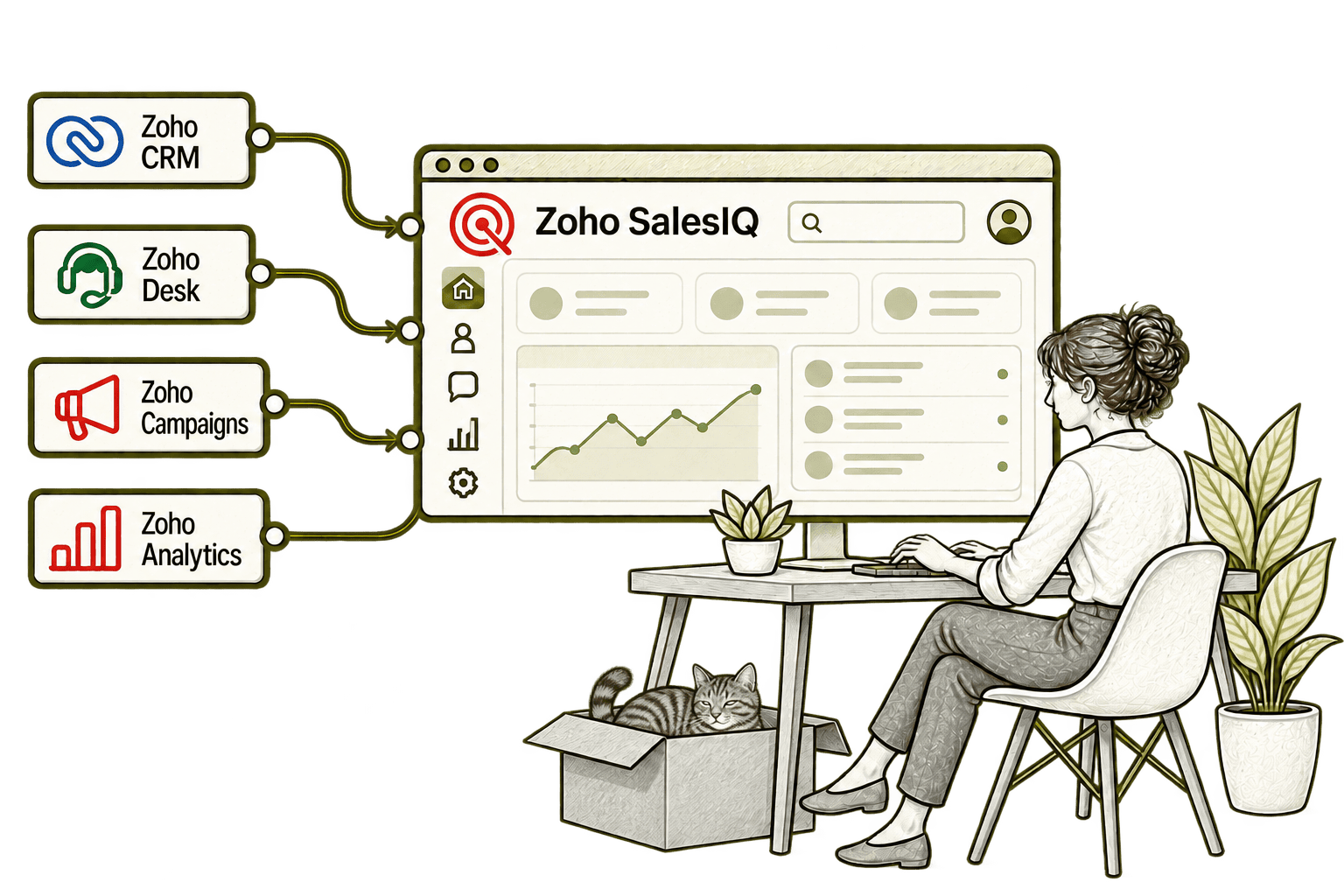
A useful website chat can be lost after the visitor leaves. Connecting SalesIQ with CRM records relevant contact details and conversation context, giving sales a clearer starting point for follow-up.
A chat enquiry can need more work after the visitor leaves. Connecting SalesIQ with Desk turns the conversation into a support ticket, giving the team a clear record to follow through.
An email click alone gives limited context. Connecting Campaigns with SalesIQ helps staff recognise campaign visitors and understand their website activity before starting a relevant conversation.
Chat totals alone can hide why visitors struggle. Connecting SalesIQ with Analytics brings engagement data into reports, helping the team examine patterns and improve the website support experience.
Better Conversations Start With a Clear Process
Whether you are introducing live chat or improving SalesIQ, we review how visitors get help and how your team handles the next step before adding more automation.
Starting Fresh
We agree chat coverage, departments, common questions and enquiry details before configuring SalesIQ. Your team starts with a clear response process and tested handovers.
Already Using Zoho SalesIQ
We review chat routing, missed conversations, bot content and connected records to identify where the experience breaks down. Useful existing work is retained and changes focus on practical improvements.
A Clearer Starting Point
Not sure whether the problem is website engagement, chat coverage or the process after an enquiry arrives? Our Business Systems & Operations Audit helps establish where work is getting lost.
You receive a practical view of the issues and recommended priorities, giving you a clearer basis for deciding what to improve next.
What a Zoho SalesIQ Engagement Includes
Discovery & Conversation Mapping
Agree visitor needs, response ownership and the next steps after a chat.
Widget & Routing Design
Define branding, departments, coverage and assignment rules so chats reach the right team.
Knowledge & Bot Content
Prepare approved replies and bot journeys with clear fallback routes and human handovers.
Automation & Connections
Configure agreed actions and test customer-record handovers and failures.
Reporting & Testing
Configure useful chat measures and test visitor, agent and offline scenarios before agreeing the setup is ready.
Training & Optimisation
Help agents adopt the setup and refine it using real conversation feedback.
The scope depends on your response team, website and required connections. We confirm edition limits, bot capabilities and any additional costs before agreeing the work.
Different Businesses. Different Website Questions.
A consultancy may answer service questions; a recruiter may direct employer and candidate enquiries; a distributor may handle product questions. We configure the conversation journey around your audience and keep specialist or sensitive processes in the appropriate systems.
Answer initial service questions and direct enquiries to the right team, avoiding sensitive case details in general website chat.
Help visitors with product and service questions, with authenticated order enquiries scoped separately in the relevant systems.
Direct initial client and referral questions to the right team, with sensitive claims information handled through appropriate channels.
Recruitment & Workforce Agencies
Separate employer and candidate enquiries, guiding visitors to the relevant recruitment process with clear follow-up ownership.
Handle general service questions and direct visitors to an adviser, with financial and personal details kept in appropriate secure channels.
Property & Housing Associations
Help visitors find the right property or housing service contact, with tenancy-specific information handled in the relevant system.
Answer general programme and partnership questions, with safeguarding and sensitive beneficiary information handled separately.
Capture initial project questions and service enquiries, with a clear handover to the team responsible for the next conversation.
Why Mason & Co
We combine Zoho implementation with integration, AI and business process design. We look beyond installing a chat widget to the response team, approved answers and connected records needed to make customer conversations useful.
Senior-led consultancy
Work directly with senior consultants who understand your business process and technical delivery.
UK-based, international delivery
Work with our UK-based team across locations, with delivery planned around your working hours.
Architecture + implementation
Connect business design with practical configuration and integrations that support everyday work.
Zoho + AI + automation
Connect Zoho, AI and automation where they solve a clear problem and improve your daily processes.
Not Sure Whether Mason & Co Is the Right Fit?
Tell us what you want to implement, improve or fix. We will discuss whether we can help and recommend a sensible next step based on what you share.
Your Questions Answered
Can you improve an existing SalesIQ setup?
Yes. We review chat coverage, routing, bot journeys, enquiry capture and connected records. We retain what works and focus improvements on the conversations your visitors and team need to handle.
Do we need Zoho One to use SalesIQ?
No. SalesIQ can be used as a standalone application. We assess the edition and integrations you need; the wider Zoho One suite can be considered separately if several applications are required.
Can you build chatbots and AI-assisted answers?
Yes. We assess the chatbot capabilities available in your edition and design approved questions, answers and handovers. AI answering needs suitable knowledge content, testing and a clear route to a person; we do not assume every question can be handled automatically.
Can SalesIQ connect with Zoho CRM?
Yes. SalesIQ has a Zoho CRM integration that can support customer context and enquiry handovers. We agree matching rules, field mapping and ownership before configuring the connection. See our Zoho CRM services for the wider follow-up process.
What happens when our team is offline?
We configure chat hours, offline messages and the supported automation available in your edition. We agree what visitors are told and who follows up, rather than implying a member of staff is available when they are not.
How long does a SalesIQ implementation take?
Timing depends on your websites, response team, bot content and integrations. We agree these requirements first, then provide a delivery plan. A focused live-chat setup is usually simpler than a project involving custom bots and several connected systems.
Can you align SalesIQ with our cookie consent setup?
We assess how the widget and visitor tracking should interact with your consent setup and privacy notices. The implementation is tested against the agreed behaviour; requirements depend on your use case and data handling policies.
Where Are Website Conversations and Follow-ups Getting Lost?
Tell us how visitors ask questions and what happens after a conversation. We will help assess Zoho SalesIQ, your team coverage and the routing, automation and CRM connections you need.
30 minutes. No charge. No obligation.